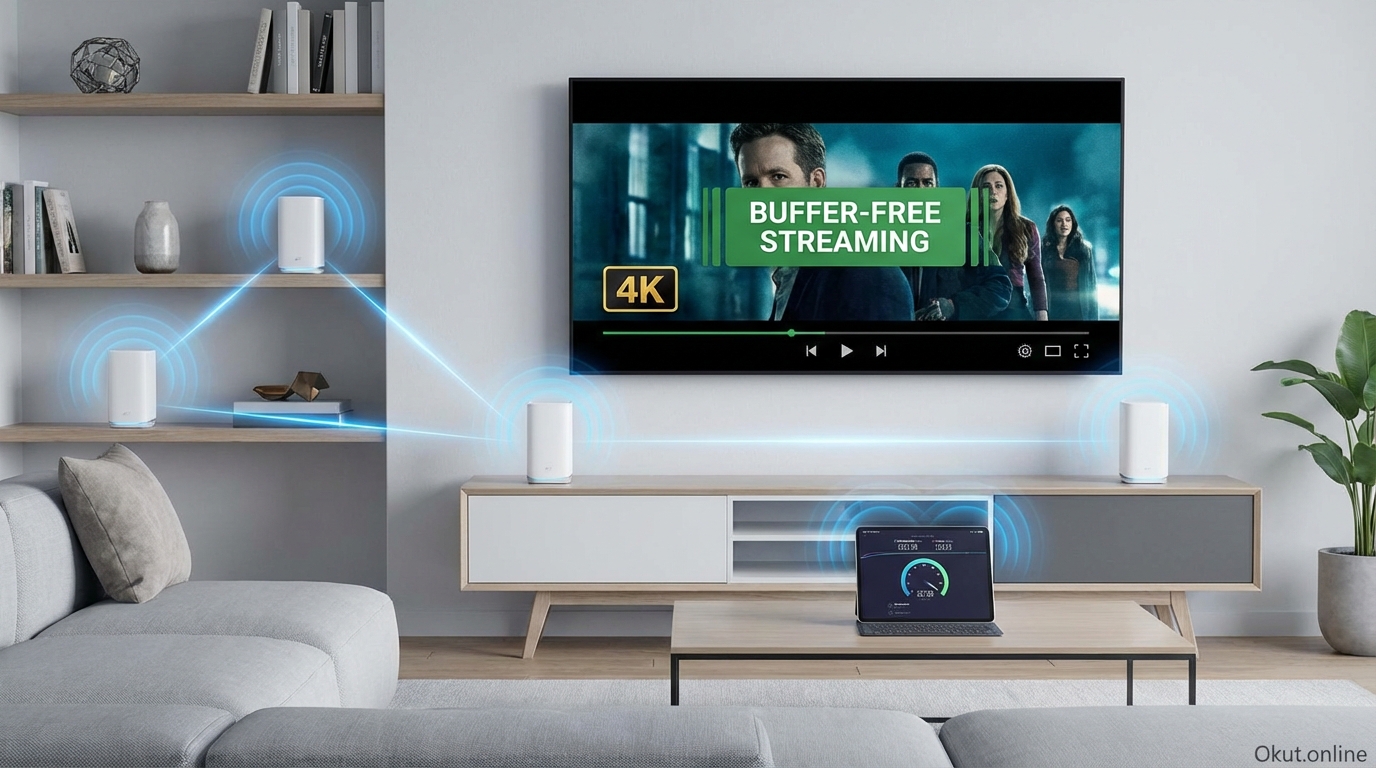
WiFi mesh systems have become essential for modern homes where streaming, gaming, and smart home devices demand reliable connectivity throughout every room. Unlike traditional routers that create dead zones in larger homes, mesh systems use multiple units to blanket your entire home with consistent WiFi coverage. In 2026, mesh systems from Eero, Google Nest, Netgear Orbi, and TP-Link Deco offer WiFi 6E and WiFi 7 support with smart home integration. This guide compares top mesh systems, explains features that matter for streaming and gaming, and helps you choose the right system for buffer-free entertainment.
I. Why Mesh WiFi for Entertainment
A. Traditional Router Limitations
Single routers struggle to cover entire homes, especially with challenging layouts.
Dead zones: Rooms distant from router receive weak signal; streaming buffers or fails.
Interference: Walls, floors, and appliances degrade signal between router and devices.
Device overload: Modern homes have 20-50+ connected devices competing for router attention.
B. Mesh System Advantages
Multiple units distribute coverage throughout your home.
Blanket coverage: Each mesh node extends the network; place units where coverage is needed.
Seamless roaming: Devices automatically connect to strongest node as you move.
Self-healing: If one node fails, traffic reroutes through remaining nodes.
Easy expansion: Add nodes as needed for additional coverage.
C. Entertainment-Specific Benefits
4K streaming: Consistent 25+ Mbps to every TV, including distant rooms.
Gaming: Lower latency through optimized routing and QoS.
Smart home devices: Reliable connectivity for security cameras, doorbells, and IoT devices.
Multi-device usage: Everyone streaming simultaneously without degradation.
II. Top Mesh Systems (2026)
A. Eero Pro 6E – $550 (3-pack)
Amazon’s premium mesh with strong smart home integration.
WiFi: WiFi 6E with 6GHz band support for latest devices.
Coverage: 3-pack covers up to 6,000 sq ft.
Smart home: Built-in Zigbee hub; Alexa integration; Thread border router.
Speed: Up to 2.3 Gbps combined speed.
Subscription: Eero Plus ($9.99/month) adds security features; basic functionality without subscription.
Best for: Alexa smart home users wanting mesh + smart hub combination.
B. Google Nest WiFi Pro – $400 (3-pack)
Google’s mesh with excellent ease of use and Google integration.
WiFi: WiFi 6E with tri-band support.
Coverage: 3-pack covers up to 6,600 sq ft.
Smart home: Matter and Thread support; Google Home integration.
Speed: Up to 4.2 Gbps combined speed.
Setup: Exceptionally easy through Google Home app.
Best for: Google ecosystem users; those prioritizing easy setup.
C. Netgear Orbi WiFi 6E (RBKE963) – $1,500 (3-pack)
Premium performance for demanding households and large homes.
WiFi: WiFi 6E quad-band with dedicated backhaul.
Coverage: 3-pack covers up to 9,000 sq ft.
Speed: Up to 10.8 Gbps combined speed.
Ports: 2.5GbE WAN port; multiple Ethernet ports per unit.
Best for: Large homes; demanding users needing maximum performance.
D. TP-Link Deco XE75 – $350 (3-pack)
Value WiFi 6E mesh with solid performance.
WiFi: WiFi 6E tri-band with 6GHz support.
Coverage: 3-pack covers up to 7,200 sq ft.
Speed: Up to 5.4 Gbps combined speed.
Smart home: Works with Alexa and Google Assistant.
Value: Strong performance at competitive pricing.
Best for: Budget-conscious users wanting WiFi 6E capability.
E. Eero 6+ – $300 (3-pack)
Budget-friendly mesh with WiFi 6 and smart home features.
WiFi: WiFi 6 dual-band (no 6E).
Coverage: 3-pack covers up to 4,500 sq ft.
Speed: Up to 1.6 Gbps.
Smart home: Zigbee hub included; Alexa integration.
Best for: Budget option with smart home integration.
III. Features That Matter for Streaming
A. WiFi Standards
WiFi 6: Current mainstream standard; supports most devices well.
WiFi 6E: Adds 6GHz band; reduces congestion; better for latest devices.
WiFi 7: Emerging standard; overkill for most current needs but future-proofs.
Recommendation: WiFi 6E provides best current balance of performance and value.
B. Dedicated Backhaul
Premium mesh systems use dedicated wireless channel for node-to-node communication.
Benefit: Your devices don’t compete with mesh backhaul traffic.
Tri-band systems: Third band dedicated to backhaul.
Impact: More consistent streaming performance, especially with multiple nodes.
C. Ethernet Backhaul
Wired connection between mesh nodes provides optimal performance.
Benefit: Eliminates wireless backhaul limitations entirely.
Requirement: Ethernet cabling between node locations.
Impact: Best possible performance if wiring is feasible.
D. QoS and Gaming Optimization
Quality of Service prioritizes gaming and streaming traffic.
Gaming modes: Some systems offer gaming optimization for lower latency.
Device prioritization: Assign priority to critical devices like gaming consoles.
IV. Placement Strategy
A. Primary Node Location
First node connects to modem; placement affects overall network.
Central location: If possible, place primary node centrally for balanced coverage.
Modem constraint: Often forced to place where modem/ISP connection exists.
B. Satellite Node Placement
Additional nodes extend coverage to problem areas.
Half-distance rule: Place nodes roughly halfway between primary node and dead zone.
Line of sight: Minimize walls and obstacles between nodes.
Entertainment focus: Prioritize strong signal where TVs and gaming consoles are located.
C. Problem Area Solutions
Distant rooms: Additional node specifically for far areas.
Outdoor coverage: Weatherproof nodes or position indoor nodes near outdoor areas.
Basements: Often need dedicated node due to floor/ceiling interference.
V. Smart Home Integration
A. Built-in Smart Home Hubs
Some mesh systems include Zigbee, Thread, or Matter capability.
Eero: Built-in Zigbee hub; Thread border router capability.
Google Nest: Matter and Thread support.
Benefit: Eliminates need for separate smart home hub.
B. Device Management
Mesh system apps often provide smart home device visibility.
Connected devices: See all devices on network with usage data.
Parental controls: Manage children’s device access and screen time.
Guest networks: Separate network for visitors and IoT devices.
VI. Cost Comparison
| System | 3-Pack Price | WiFi Standard | Coverage |
|---|---|---|---|
| Eero 6+ | $300 | WiFi 6 | 4,500 sq ft |
| TP-Link Deco XE75 | $350 | WiFi 6E | 7,200 sq ft |
| Google Nest WiFi Pro | $400 | WiFi 6E | 6,600 sq ft |
| Eero Pro 6E | $550 | WiFi 6E | 6,000 sq ft |
| Netgear Orbi RBKE963 | $1,500 | WiFi 6E | 9,000 sq ft |
VII. Common Mistakes to Avoid
- Too Few Nodes: Start with 3-pack for typical homes; add more if needed rather than stretching coverage too thin.
- Poor Primary Placement: Hiding primary node in closet or corner weakens entire network.
- Ignoring Ethernet Backhaul: If you can wire nodes together, do so—it significantly improves performance.
- Overkill for Small Homes: Small apartments may not need mesh; quality single router suffices.
VIII. Practical Tips
- Use App Speed Tests: Mesh apps include speed tests from each node—verify coverage before finalizing placement.
- Enable Automatic Updates: Firmware updates improve performance and security.
- Create Guest Network: Separate network for guests and IoT devices improves security.
- Consider Ethernet Backhaul: Even one wired connection between nodes improves performance significantly.
IX. Conclusion
WiFi mesh systems eliminate the buffering and dead zones that plague entertainment in larger homes. For most households, mid-range WiFi 6E systems (Google Nest WiFi Pro, TP-Link Deco XE75) provide excellent streaming and gaming performance at reasonable cost. Eero Pro 6E adds smart home hub functionality valuable for Alexa households. Netgear Orbi suits large homes or demanding users needing maximum performance. Start with a 3-pack, optimize placement for your entertainment areas, and enjoy buffer-free streaming throughout your home.
What WiFi challenges affect your streaming experience, and would mesh solve them? Share your network struggles in the comments!
About the Author