The choice between using your smart TV’s built-in apps and adding a dedicated streaming device has become increasingly relevant as both options have matured. In 2026, smart TV platforms like webOS, Tizen, and Google TV compete with standalone devices from Roku, Amazon, and Apple for handling your streaming needs. This comprehensive comparison examines performance, app availability, interface quality, and smart home integration to help you decide whether your TV’s built-in capabilities suffice or whether a dedicated streaming device provides enough advantages to justify additional purchase.
I. Smart TV Platform Overview
Modern smart TVs include built-in streaming platforms with app stores, voice assistants, and increasingly sophisticated features.
A. Samsung Tizen
Samsung’s proprietary platform powers the world’s best-selling TV brand.
Interface: Clean, horizontal app bar at screen bottom; quick access to frequently used apps.
App availability: Major streaming services all present; some niche apps may be missing.
Voice control: Bixby built-in; Alexa and Google Assistant available through SmartThings integration.
Smart home: SmartThings hub enables IoT device control from TV.
B. LG webOS
LG’s praised platform offers smooth navigation and intuitive design.
Interface: Card-based launcher with content recommendations; well-designed settings access.
App availability: Comprehensive app selection covering major and many minor services.
Voice control: LG ThinQ AI built-in; Alexa and Google Assistant supported.
Smart home: ThinQ ecosystem integration for LG appliances.
C. Google TV (Sony, TCL, Hisense)
Google’s platform appears on TVs from multiple manufacturers.
Interface: Content-first design emphasizing recommendations across services rather than app-first navigation.
App availability: Full Android TV app store with extensive selection.
Voice control: Google Assistant fully integrated with comprehensive smart home control.
Smart home: Strong Google ecosystem integration including Nest and third-party devices.
D. Roku TV (TCL, Hisense, others)
Roku’s streaming platform built directly into TVs from partner manufacturers.
Interface: Simple grid-based interface prioritizing app access over content discovery.
App availability: Extensive “channel” library including services other platforms sometimes lack.
Voice control: Roku Voice and Alexa/Google through device settings.
Smart home: Growing integration through Roku Smart Home platform.
II. Streaming Device Options
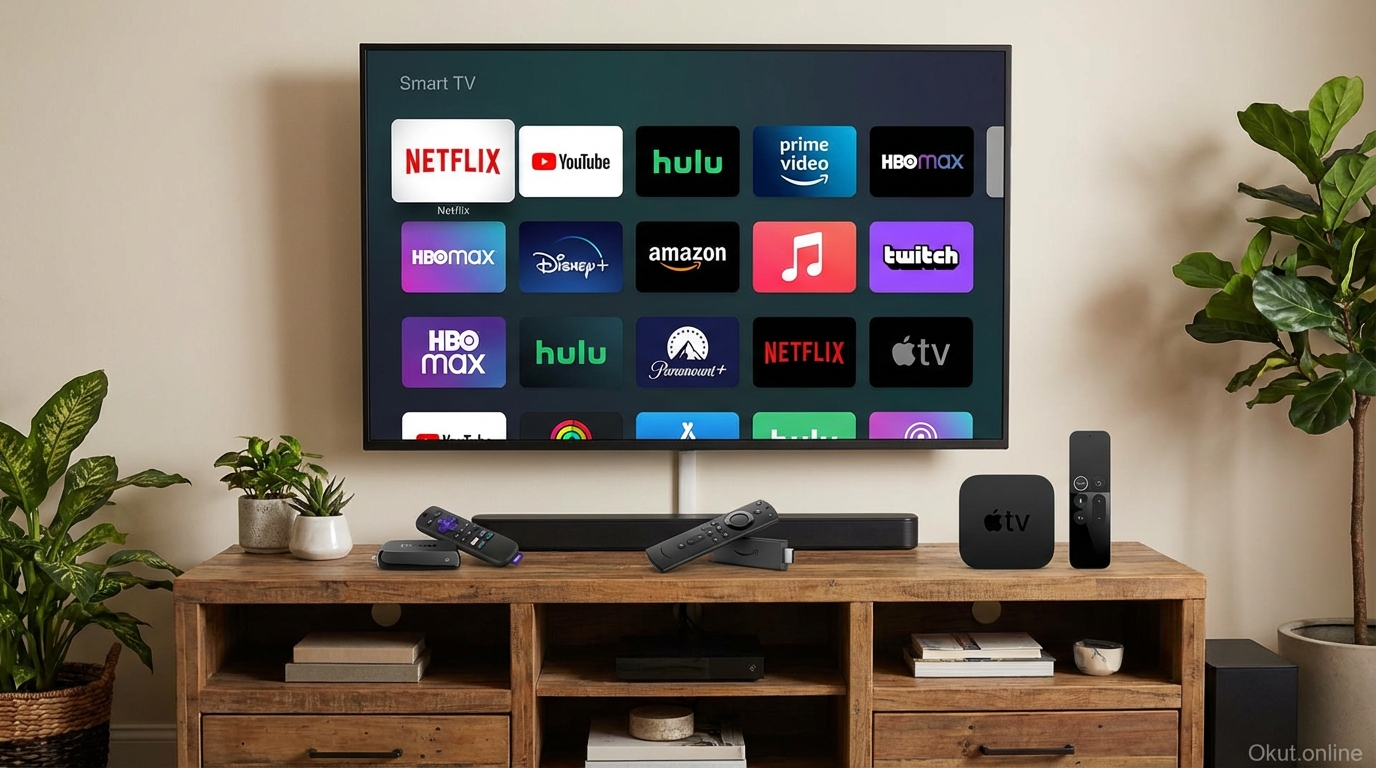
Dedicated streaming devices plug into any TV, often providing superior performance to built-in platforms.
A. Roku Streaming Devices
Roku Express 4K ($40): Budget 4K streaming with essential features.
Roku Streaming Stick 4K ($50): Compact stick form factor with improved wireless.
Roku Ultra ($100): Premium device with ethernet port, enhanced remote, and best wireless performance.
Platform advantages: Largest channel selection, neutral platform promoting all services equally, simple interface.
B. Amazon Fire TV
Fire TV Stick 4K ($50): Mainstream 4K streaming with Alexa integration.
Fire TV Stick 4K Max ($60): Enhanced WiFi 6E and faster processor.
Fire TV Cube ($140): Hands-free device with built-in speaker and smart home hub capabilities.
Platform advantages: Deep Alexa integration, Amazon Prime Video prioritization, smart home hub capability (Cube).
C. Apple TV
Apple TV 4K ($129): Premium streaming with Apple ecosystem integration.
Apple TV 4K with more storage ($149): Additional storage for games and apps.
Platform advantages: Best processing power, Apple ecosystem features (AirPlay, HomeKit), privacy focus.
D. Chromecast with Google TV
Chromecast with Google TV 4K ($50): Google’s streaming platform in affordable device.
Chromecast with Google TV HD ($30): Budget-friendly 1080p version.
Platform advantages: Google Assistant integration, content-first interface, casting capability.
III. Smart TV vs. Streaming Device Comparison
A. Performance
Streaming devices typically outperform smart TV platforms on the same TV.
Why devices are faster: Dedicated devices have more recent processors and more RAM than TV-embedded systems designed years earlier.
App launch times: Netflix or Disney+ may launch in 2-3 seconds on streaming device vs. 5-10 seconds on built-in platform.
Navigation smoothness: Menu scrolling and transitions often feel snappier on dedicated devices.
Exception: High-end TVs (current-year Sony, Samsung, LG flagships) have processors that compete with streaming devices.
B. Software Updates
Streaming devices receive updates longer and more frequently than smart TV platforms.
Device update lifecycle: Roku and Amazon typically support devices 4-6+ years with regular updates.
TV update reality: Smart TV updates often slow or stop 2-3 years after purchase; new app versions may not appear.
Practical impact: A 5-year-old TV may not receive updated streaming app versions, while a $50 streaming device stays current.
C. App Availability
Streaming devices generally have broader app availability than smart TV platforms.
Major services: Netflix, Prime Video, Disney+, HBO Max available everywhere—no advantage either way.
Niche services: Specialty streaming services more likely available on Roku/Fire TV than obscure smart TV platforms.
Games and utilities: Streaming devices often have broader non-streaming app selection.
D. Smart Home Integration
Streaming devices provide hub-like capabilities that basic smart TVs cannot match.
Fire TV Cube: Functions as Alexa smart speaker; controls smart home devices via voice; serves as Zigbee hub.
Apple TV: Serves as HomeKit hub for remote access and automation.
Built-in platforms: Limited to TV control; rarely serve as smart home hubs (except Samsung SmartThings integration).
IV. When Built-in Platform Suffices
- You only use major streaming services available on your TV
- Your TV is less than 2-3 years old with current-generation platform
- Performance feels acceptable for your patience level
- You don’t need advanced smart home integration
- You prefer fewer devices and remotes
V. When Streaming Device Is Worth It
- Your TV’s built-in platform feels slow or limited
- You want apps not available on your TV platform
- You value smart home integration (Fire TV Cube, Apple TV)
- Your TV is older and no longer receiving updates
- You want consistent experience across multiple TVs
- You prefer specific ecosystem (Apple, Amazon, Google)
VI. Comparison Table
| Aspect | Built-in Smart TV | Streaming Device |
|---|---|---|
| Performance | Variable; often slower | Consistent; usually faster |
| Update Support | 2-3 years typical | 4-6+ years typical |
| App Selection | Major services; gaps in niche | Broadest selection |
| Smart Home | Limited | Extensive (especially Fire/Apple) |
| Cost | Included with TV | $30-150 additional |
| Remote | TV remote (one device) | Additional remote |
VII. Practical Tips
- Try Built-in First: Use your TV’s platform before buying a streaming device—it may suffice.
- Match Ecosystem: Choose streaming devices matching your smart home and phone ecosystem.
- Consider Multiple TVs: Streaming devices provide consistent experience across different TV brands.
- Budget Devices Work: $40-50 devices (Roku Express 4K, Fire Stick 4K) provide most upgrade benefits.
VIII. Conclusion
Smart TV built-in platforms suffice for many users—especially those with recent TVs who use only major streaming services. Streaming devices justify their $40-150 cost when TV platforms feel slow, lack desired apps, or when smart home integration matters. For older TVs, a $50 streaming device effectively modernizes your entertainment experience for years. The choice ultimately depends on your TV’s age and performance, your app requirements, and whether ecosystem integration (Apple, Amazon, Google) adds value for your household.
Do you use your TV’s built-in platform or a streaming device? What made you choose one over the other? Share your experience in the comments!
About the Author