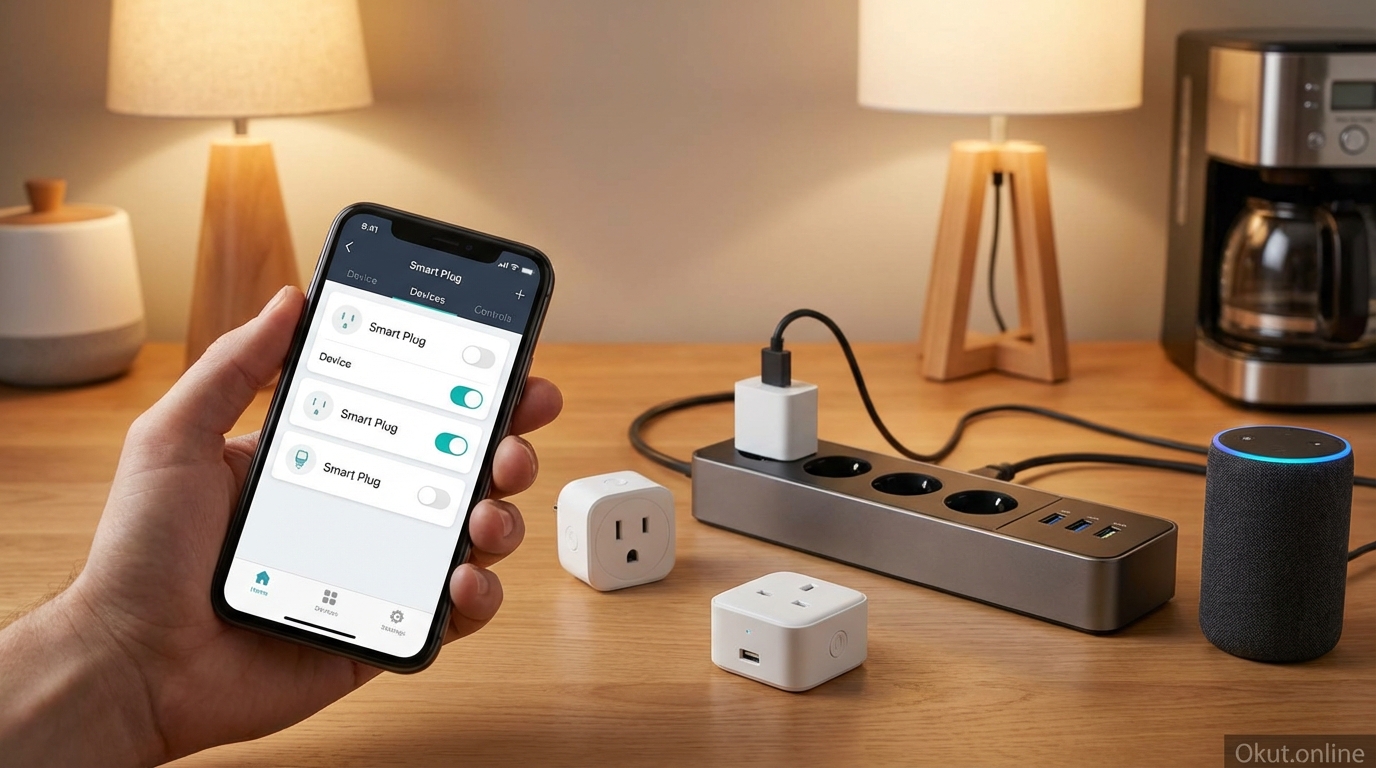
Smart plugs transform ordinary appliances into connected devices, enabling remote control, scheduling, and energy monitoring without replacing the appliances themselves. In 2026, these affordable devices have become essential building blocks for home automation, capable of everything from simple lamp control to complex automation triggers. This comprehensive guide compares top smart plug options, explains key features and differentiators, covers installation considerations, and demonstrates practical automation uses that justify adding smart plugs throughout your home.
I. What Smart Plugs Enable
Before comparing specific products, understanding what smart plugs actually accomplish helps you identify where they add value in your home.
A. Remote Control
The most basic smart plug function—controlling devices from anywhere with your phone—eliminates the need to physically access switches or outlets.
Forgot to turn off the coffee maker? Check and control it from work. Want lights on before you arrive home? Turn them on from the car. Need to verify the iron is off after leaving for vacation? Check the app for peace of mind.
Voice control through Alexa, Google Assistant, or Siri extends this convenience hands-free. “Alexa, turn off the bedroom lamp” works even when you’re comfortable in bed without reaching for your phone.
B. Scheduling and Timers
Smart plugs automate devices on schedules, turning them on and off at specific times without manual intervention.
Wake-up routines can have the coffee maker start brewing before your alarm sounds. Evening schedules turn on ambient lighting as sunset approaches. Holiday light schedules create festive displays without manual daily effort.
Countdown timers turn devices off after specified durations. Fall asleep with the fan running, knowing it will turn off after an hour. Kids’ gaming time limits become enforceable through timed outlets.
C. Energy Monitoring
Smart plugs with energy monitoring track consumption of connected devices, revealing exactly how much power specific appliances use.
Identify energy vampires drawing unnecessary power. Quantify the cost of running specific devices. Monitor aging appliances for efficiency decline that might justify replacement.
Real-time data shows instantaneous power draw; historical data shows consumption over time. Both views provide insights unavailable from utility bills that aggregate your entire home.
D. Automation Integration
Smart plugs participate in broader home automation, triggering on conditions beyond simple schedules.
Motion-activated devices turn on when sensors detect presence. Geofencing activates plugs when you arrive home and deactivates when you leave. Temperature-based control runs fans or heaters in response to thermostat readings.
Routines combine plug control with other actions. “Goodnight” might turn off entertainment devices, activate night lights, and lock doors—all from one voice command.
II. Types of Smart Plugs
Smart plugs vary in form factor, connectivity, and capabilities. Understanding the types helps you select appropriate plugs for different applications.
A. Standard Wall Plugs
The most common form factor plugs into standard outlets, providing a controlled power point for connected devices.
Single-outlet plugs control one device per plug. Most are designed to not block the second outlet in duplex receptacles, though some larger plugs may obstruct adjacent outlets.
Dual-outlet plugs provide two smart-controlled outlets from a single unit, sometimes with independent control for each outlet.
Compact designs minimize protrusion from walls, looking cleaner and reducing obstruction risks. Larger plugs may protrude significantly, which matters in high-traffic areas.
B. Outdoor Smart Plugs
Weather-resistant smart plugs handle outdoor conditions where standard indoor plugs would fail.
IP ratings specify weather resistance. IP44 handles splashing water; IP65 handles water jets; higher ratings provide greater protection. Check ratings match your outdoor exposure conditions.
Multiple outlets on outdoor plugs enable controlling several devices (landscape lighting, holiday decorations, fountain pumps) from single units typically installed in covered outlet locations.
C. Power Strips with Smart Control
Smart power strips provide multiple outlets with various control options in surge-protected strip formats.
Individually controlled outlets let you manage each connected device separately rather than all-or-nothing control.
Mixed smart/always-on outlets provide some outlets with smart control while others remain constantly powered for devices that should never lose power.
USB ports with smart control on some strips extend smart charging to phone and tablet chargers.
D. In-Wall Smart Outlets
For permanent, flush-mounted installations, in-wall smart outlets replace standard outlets entirely.
Clean appearance eliminates protruding plugs, maintaining outlet aesthetics while adding smart functionality.
Electrical installation required means replacing the actual outlet, not just plugging something in. Most users need electrician assistance unless comfortable with outlet wiring.
Both outlets or single outlet smart options exist—some in-wall outlets make both outlets smart; others make only one smart while leaving the other standard.
III. Top Smart Plugs (2026)
These recommendations cover different use cases and ecosystems, from budget basics to feature-rich premium options.
A. TP-Link Kasa Smart Plug (KP125) – $15
Kasa plugs represent the sweet spot of reliability, features, and price for most users.
Energy monitoring built-in tracks consumption without the price premium many competitors charge for monitoring capability. Real-time power draw and historical consumption data appear in the Kasa app.
Compact design doesn’t block adjacent outlets in duplex receptacles, maximizing outlet utility.
Alexa and Google Assistant integration works without requiring a hub or subscription. Voice control sets up through standard smart speaker procedures.
Kasa app provides straightforward scheduling, timers, away mode (random on/off to simulate occupancy), and grouping for multiple plugs.
Matter support on newer Kasa devices enables integration with any Matter-compatible platform, future-proofing against ecosystem changes.
15A rating handles most household devices. Check individual device amp requirements against plug ratings for high-draw appliances.
B. Amazon Smart Plug – $25
For Amazon-centric households, Amazon’s own smart plug provides seamless Alexa integration.
Alexa setup simplification makes configuration nearly automatic for Prime members. Alexa discovers the plug during initial power-on, often requiring minimal app interaction.
Alexa Routines integration allows the plug to participate in comprehensive Alexa automations including trigger conditions, actions, and scheduling.
No energy monitoring on this plug—a significant limitation compared to Kasa and others that include monitoring at similar prices.
Compact design preserves access to adjacent outlets.
Alexa-only limits appeal for non-Amazon households. Google Assistant and HomeKit users should look elsewhere.
C. Wyze Plug – $8
Wyze’s aggressive pricing makes smart plug deployment affordable for comprehensive coverage.
$8 per plug (often cheaper in multi-packs) enables adding smart control to many devices where $15-25 plugs might seem extravagant.
Basic features include scheduling, timers, and voice control through Alexa and Google Assistant. No energy monitoring in the basic plug.
Wyze app integration with other Wyze devices (cameras, sensors, etc.) creates a unified budget smart home ecosystem.
Vacation mode simulates occupancy through randomized on/off patterns.
Reliability concerns from some users report occasional connectivity issues. At the price point, some trade-off in reliability compared to premium alternatives may exist.
D. Meross Smart Plug with Energy Monitoring – $12
Meross provides energy monitoring at a lower price than Kasa, with strong multi-platform support.
Energy monitoring shows real-time consumption, daily/weekly/monthly usage, and cost calculations based on your entered utility rate.
HomeKit, Alexa, and Google Home support provides platform flexibility that Apple users particularly appreciate. Native HomeKit support without bridges is valuable for Apple households.
Matter support on current models ensures compatibility with the smart home standard that’s consolidating the industry.
Compact form factor won’t block adjacent outlets.
Value positioning delivers more features than similarly-priced alternatives, making Meross an excellent budget choice.
E. TP-Link Kasa Outdoor Smart Plug (KP401) – $25
For outdoor applications, Kasa’s outdoor plug provides weather resistance with indoor-equivalent features.
IP64 weather rating handles outdoor conditions while mounted in covered locations. Direct exposure to heavy rain or standing water exceeds the rating.
Two independently controlled outlets operate separate devices from single installation.
Same app and integration as indoor Kasa devices provides unified management across your entire Kasa deployment.
Sunset/sunrise scheduling automates outdoor lighting without manual adjustment as seasons change.
15A per outlet (15A total) handles landscape lighting, holiday decorations, fountain pumps, and similar outdoor devices.
IV. Key Features Comparison
This comparison highlights important feature differences between top smart plug options.
| Feature | Kasa KP125 | Amazon Smart Plug | Wyze Plug | Meross Plug |
|---|---|---|---|---|
| Price | $15 | $25 | $8 | $12 |
| Energy Monitoring | Yes | No | No | Yes |
| HomeKit Support | No | No | No | Yes |
| Alexa Support | Yes | Yes | Yes | Yes |
| Google Assistant | Yes | No | Yes | Yes |
| Matter Support | Yes (newer models) | No | No | Yes |
| Compact Design | Yes | Yes | Yes | Yes |
| Max Amp Rating | 15A | 15A | 15A | 15A |
V. Practical Applications
Smart plugs shine in specific applications where their capabilities solve real problems or add meaningful convenience.
A. Lamp and Lighting Control
Converting dumb lamps to smart control without replacing bulbs or fixtures represents the most common smart plug use.
Table lamps and floor lamps connected through smart plugs respond to voice commands, schedules, and automations. No rewiring or bulb changes required.
Christmas and holiday lighting on schedule turns on at sunset and off at bedtime automatically throughout the season. Outdoor plugs with multiple outlets handle light strings positioned around the property.
Away mode lighting creates occupied appearance through randomized on/off patterns while you travel.
B. Kitchen Appliance Management
Kitchen appliances often benefit from scheduled operation or easy shutdown.
Coffee makers scheduled to brew before you wake provide ready coffee the moment your alarm sounds.
Crock pots and slow cookers controlled by smart plugs can be monitored and shut off remotely if needed.
Countertop appliances drawing phantom power—air fryers, instant pots, toaster ovens—can be shut off completely through smart plugs when not in use.
C. Entertainment Equipment
TV-centric entertainment consoles can draw significant standby power that smart plugs eliminate.
Smart power strips turn off entire entertainment centers—TV, receiver, game consoles—together with single commands.
Keep specific devices always-on (the receiver with ongoing software) while powering down others (the TV, gaming systems) through mixed smart/always-on power strips.
Energy monitoring reveals actual entertainment equipment power consumption, which often exceeds expectations.
D. Phantom Load Elimination
Devices drawing power while “off” (phantom loads) accumulate surprisingly high annual costs that smart plugs eliminate.
Home office equipment (computers, monitors, chargers, desk lamps) controlled through smart strips can be completely de-energized during off-hours, eliminating overnight and weekend phantom draw.
Scheduled power-off overnight for devices not needed during sleeping hours (everything except refrigeration, networking, and security) can reduce always-on baseline significantly.
E. Space Heaters and Fans
Climate devices benefit from scheduled operation and safety shutoffs.
Space heaters scheduled to pre-warm home offices before work hours provide comfort without leaving heaters on all night.
Fans scheduled for sleeping hours run while you fall asleep and automatically stop hours later.
Safety shutoffs via timers prevent devices from running indefinitely if you forget to turn them off.
Note: High-wattage devices require checking plug ratings. Most smart plugs handle 1800W (15A at 120V); high-power space heaters may require dedicated high-capacity plugs.
VI. Smart Home Integration
Smart plugs become most powerful when integrated into broader home automation.
A. Voice Assistant Routines
Voice routines bundle plug control with other actions for convenient multi-step automations.
“Alexa, good morning” might turn on coffee maker, living room lights, and kitchen under-cabinet lighting—all from bed via voice.
“Hey Google, movie time” might dim lamps controlled by smart plugs, close the smart blinds, and turn on TV bias lighting.
“Siri, goodnight” might turn off all plug-controlled devices, arm security, and adjust thermostat—ending your day with single command.
B. Sensor-Based Automation
Motion sensors, door sensors, and other triggers can activate smart plugs contextually.
Motion in the bedroom triggers the lamp via smart plug—hands-free room illumination without switches.
Door opening activates the entryway lamp when someone arrives home.
Temperature sensors trigger fans or space heaters when readings exceed thresholds.
C. Location-Based Control
Geofencing uses your phone’s location to trigger plug actions based on arrival or departure.
Arriving home triggers living room lamps, ensuring a lit house greets you.
Departing home triggers all plugs off, ensuring nothing runs unnecessarily while you’re away.
D. IFTTT and Advanced Automation
IFTTT and similar platforms connect smart plugs to hundreds of other services.
Weather-based automation turns on outdoor heaters when temperature drops or activates fans when readings climb.
Calendar integration turns on office equipment when your work calendar shows meetings.
Notification triggers can activate attention-getting devices when important events occur.
VII. Installation Tips
Smart plug installation is straightforward but benefits from attention to a few details.
A. WiFi Signal Consideration
Smart plugs connect via WiFi and require adequate signal strength at their installation location.
Test signal before committing to locations. Weak WiFi causes unreliable operation regardless of plug quality.
Mesh WiFi systems extend coverage to distant outlets that might otherwise lack adequate signal.
B. Load Ratings
Check device power requirements against plug ratings before connecting.
Most plugs handle 15A (1800W at 120V)—adequate for most household devices.
High-power devices (large space heaters, some power tools) may exceed standard plug ratings. Verify before connecting.
Motor and inductive loads may have startup currents significantly higher than running current. Some plugs handle this poorly.
C. Physical Placement
Position plugs where they won’t be accidentally unplugged or damaged.
Avoid high-traffic areas where people might bump plugs.
Consider cable management for connected devices—smart plugs can’t help if devices are unplugged at the device end.
VIII. Common Mistakes to Avoid
- Connecting Incompatible Devices: Smart plugs simply interrupt power. Devices that don’t resume normal operation when power is restored (battery backups, some computers, electronic appliances with startup modes) don’t work well with smart plug control.
- Exceeding Power Ratings: Connecting devices that draw more current than the plug supports creates fire hazards. Always verify device requirements vs. plug ratings.
- Ignoring WiFi Quality: Weak WiFi causes smart plugs to appear unreliable. Fix network issues before blaming hardware.
- Creating Single Points of Failure: Critical devices shouldn’t depend on smart plug connectivity. Keep backup methods for essential lighting and devices.
- Over-Complicating Automation: Complex automation rules with many conditions often fail in unexpected situations. Start simple; add complexity only when simple approaches prove insufficient.
IX. Practical Tips for Smart Plug Success
- Name Plugs Descriptively: “Living Room Lamp” is infinitely more useful than “Smart Plug 3” for voice commands and app management.
- Group Related Plugs: Create groups in your app for rooms or functions, enabling control of multiple plugs with single commands.
- Start with High-Value Uses: Deploy plugs first where they solve actual frustrations—forgotten lights, inconvenient controls, devices you want scheduled.
- Monitor Energy Initially: If your plugs have monitoring, actually look at the data. You’ll discover consumption surprises that inform whether plug control is valuable for specific devices.
- Establish a Primary Ecosystem: Mixing too many smart plug brands creates app sprawl. Choose a primary brand for most deployments, adding others only for specific features.
X. Conclusion
Smart plugs provide the most accessible entry point to home automation, transforming ordinary devices into smart devices without replacement or rewiring. From budget options like Wyze at $8 to feature-rich choices like Kasa with energy monitoring, options exist for every need and budget. Key applications—lamp control, scheduling, phantom load elimination, and automation integration—demonstrate value that quickly justifies the modest investment. Whether you deploy a single plug for a troublesome lamp or outfit your entire home for comprehensive automation, smart plugs deliver immediate convenience improvements with minimal complexity.
Which devices in your home frustrate you most with their non-smart controls? What would smart plug automation fix for your daily routine? Share your smart plug ideas in the comments!
About the Author