Security cameras with no monthly fees offer the same protection as subscription-based alternatives while eliminating recurring costs that add up to hundreds or thousands of dollars over years of ownership. In 2026, local storage cameras from brands like Eufy, Reolink, and Amcrest have matured significantly, offering features that rival or exceed cloud-dependent competitors. This comprehensive guide examines the best subscription-free security cameras, explaining how they store footage locally, what features you gain and lose compared to cloud options, and which models deliver the best value for different security needs.
I. Understanding Local Storage vs Cloud Security Cameras
The fundamental difference between subscription-free and cloud cameras lies in where your video footage is stored and processed. This architectural choice affects everything from monthly costs to privacy, reliability, and feature availability. Understanding these trade-offs thoroughly helps you decide whether local storage meets your specific security requirements or whether cloud dependency makes sense for your situation.
A. How Local Storage Cameras Work
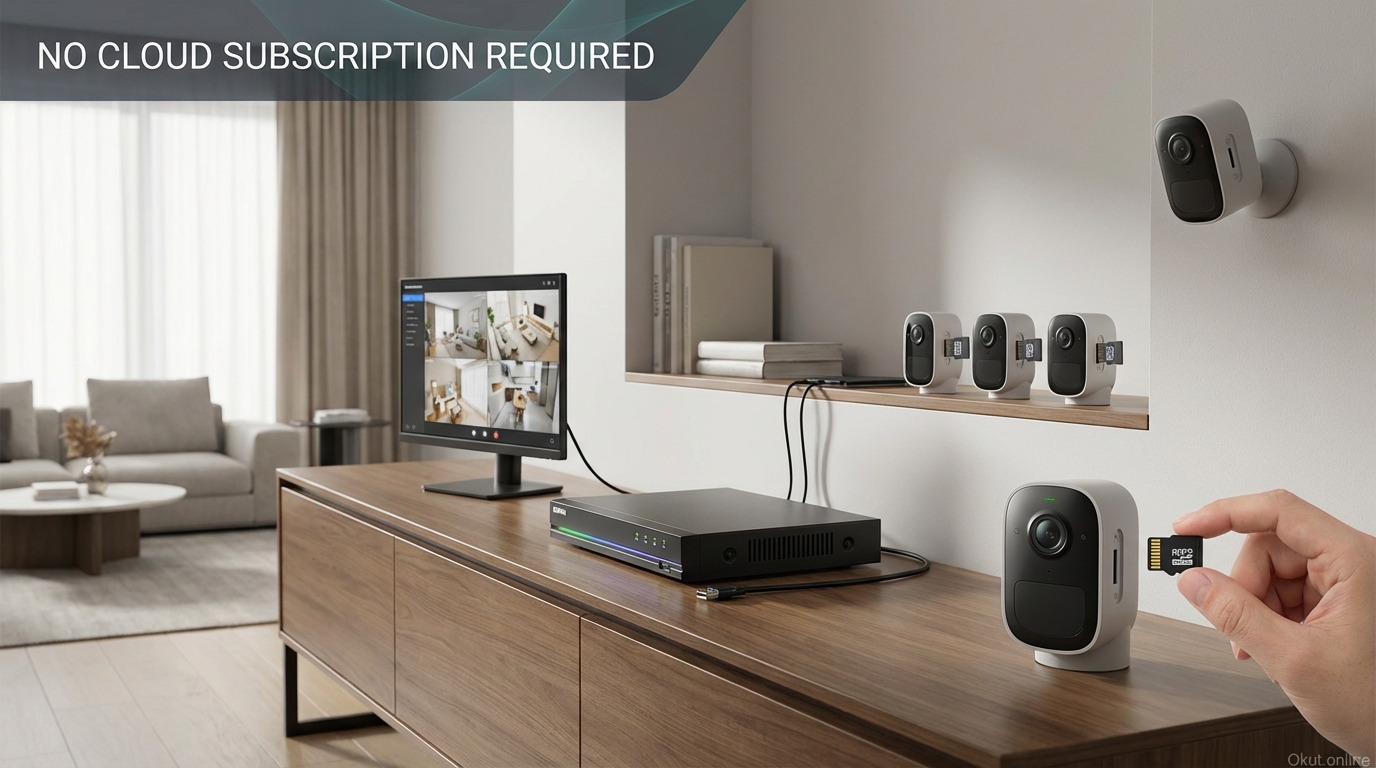
Local storage cameras record footage directly to memory cards, network-attached storage devices (NAS), or included base stations within your home. The video data never leaves your property unless you explicitly choose to access it remotely through port forwarding, VPN, or manufacturer-provided relay services (which transmit video without storing it on external servers).
MicroSD card storage represents the most affordable and straightforward option. Cards slot directly into the camera body, storing anywhere from a few days to several weeks of footage depending on card capacity (ranging from 32GB to 512GB) and your video quality settings. Higher resolution and frame rates consume more storage—4K video at 30fps uses roughly four times the storage of 1080p at 15fps. Eufy cameras typically support up to 128GB cards while many Reolink models accept 256GB cards, providing substantial recording capacity without external equipment.
Base station storage centralizes recordings from multiple cameras into a single location within your home. Systems like Eufy HomeBase 3 include 16GB of built-in storage and support USB-connected external drives up to 16TB in capacity. This centralized approach offers several advantages: simplified backup procedures, unified video management through a single interface, and protection against camera theft—if someone steals an individual camera, the footage remains safe on the base station elsewhere in your home.
NAS (Network-Attached Storage) and NVR (Network Video Recorder) systems represent the professional-grade option for serious security installations. Dedicated recording devices from manufacturers like Synology, QNAP, or purpose-built NVR units from Reolink and Amcrest continuously record from multiple cameras over your local network. These systems offer RAID redundancy (protecting against drive failures), massive storage capacity measured in terabytes, advanced search and playback features, and complete independence from any external services. The tradeoff is higher complexity and upfront cost, though the long-term value often justifies the investment for homes with multiple cameras.
Hybrid options bridge local and cloud storage. Some cameras like Reolink offer 7 days of free cloud backup alongside local recording, providing redundancy without subscription fees. This approach protects against scenarios where an intruder destroys or steals your local recording equipment—the previous seven days remain accessible through the cloud even if your on-site storage is compromised.
B. What You Gain Without Subscriptions
The advantages of subscription-free cameras extend beyond simple cost savings, though the financial benefits alone often justify the choice.
Zero monthly costs mean your security investment remains a one-time expense. A $200 camera remains a $200 camera forever, with no ongoing extraction of $3.99, $7.99, or $9.99 monthly that popular cloud services demand. Compare this to Ring cameras requiring Ring Protect at $3.99-$10.00 per month—that’s $48-$120 annually per camera, accumulating to $240-$600 over five years for subscription costs alone. For homes with multiple cameras, subscription fees can exceed the original hardware cost within the first year or two.
Complete privacy comes from keeping your footage local. Your video never touches external servers where company employees could potentially access it, where data breaches could expose it, or where law enforcement agencies could request it through subpoenas directed at the service provider. For privacy-conscious homeowners, this local-only approach provides peace of mind that cloud services fundamentally cannot match regardless of their encryption claims or privacy policies.
Internet independence keeps your cameras recording during outages. When your internet connection drops—whether from infrastructure failures, severe weather, or targeted attacks—cloud cameras stop providing meaningful security. They may continue recording locally in some cases, but you lose remote access, cloud processing, and often smart alerts. Local storage cameras on the same local network as any monitoring equipment continue functioning normally, providing uninterrupted security regardless of what happens to your internet connection.
Unlimited video history is constrained only by your storage capacity rather than subscription tier limitations. Cloud services typically limit history to 30-60 days even with premium subscriptions, automatically deleting older footage. Local storage systems can retain months or years of recordings depending on your storage allocation. A 4TB NVR can store multiple weeks of continuous recording from 8 cameras or months of motion-triggered events—far exceeding any cloud service’s retention period.
C. What You Potentially Lose Without Cloud Services
Honest evaluation requires acknowledging what local storage cameras sacrifice compared to their cloud counterparts.
Remote storage backup is the most significant vulnerability. If someone steals your camera with its SD card inside, or destroys your base station during a break-in, the evidence goes with them. Cloud services store footage off-site where it remains accessible even after on-premises equipment is compromised. This vulnerability can be mitigated through strategic placement (cameras in hard-to-reach locations that view each other), base stations hidden in closets or safes, or NAS devices with redundant storage, but requires conscious planning that cloud users don’t need to consider.
Some advanced AI features rely on powerful cloud servers rather than on-camera processing. Cloud cameras often provide more sophisticated analysis—facial recognition, person identification, package detection, and behavioral analysis—powered by server-side machine learning models too resource-intensive to run on camera hardware. Local cameras may offer simpler motion detection without the granular categorization cloud systems provide, though this gap is narrowing as on-device AI processors become more powerful.
Notification speed may be slightly slower with local storage cameras. Cloud cameras typically push notifications through established server infrastructure designed for minimal latency, while local cameras must wake from lower-power states, process motion locally, and route alerts through the manufacturer’s notification service. The difference is typically 1-2 seconds—noticeable if you’re comparing directly but rarely significant for actual security response.
II. Best Subscription-Free Outdoor Cameras
Outdoor cameras face weather exposure, require wider fields of view for yard coverage, and need robust night vision for after-dark surveillance. These models excel in exterior applications without requiring any ongoing subscription payments.
A. Eufy Security Cam S330 (eufyCam 3) – $199
Eufy has become synonymous with subscription-free security, building their brand identity around the no-monthly-fee promise. The S330 represents their flagship outdoor camera, combining premium specifications with the solar charging that eliminates even battery-swap maintenance.
The 4K resolution captures video at 3840×2160 pixels—four times the detail of standard 1080p cameras. This exceptional resolution lets you zoom into recorded footage to read license plates, identify faces, and see fine details that lower-resolution cameras simply cannot capture. When reviewing an incident, the ability to digitally magnify without losing meaningful detail often makes the difference between usable evidence and frustrating blur.
The integrated solar panel continuously charges the internal battery during daylight hours. In most climates receiving 3-4 hours of direct sunlight on the panel, the camera achieves perpetual operation without any manual charging. The key is mounting with the integrated panel angled toward the sun’s daily path—south-facing in the Northern Hemisphere. Shaded locations or extreme northern latitudes may still require occasional manual charging during winter’s shortest days.
BionicMind AI runs directly on the camera’s processor, distinguishing humans from animals, vehicles, and other motion sources. This on-device artificial intelligence dramatically reduces false alerts compared to simple motion detection that triggers on anything moving through the frame. You receive notifications when actual people approach rather than constant alerts from passing cars, swaying branches, or neighborhood wildlife.
The HomeBase 3 requirement adds initial expense ($129 if purchased separately, often bundled with multi-camera kits) but provides substantial benefits. The base station offers 16GB of local encrypted storage expandable up to 16TB with a USB-connected external hard drive. This centralized storage survives individual camera theft, and the base station’s military-grade encryption (AES-256) protects your footage even if the physical unit is stolen.
Color night vision uses dual-LED spotlight illumination to capture full-color footage after dark. Rather than the grayscale imagery of infrared-only cameras, you see actual clothing colors, vehicle paint, and other details that prove critical for identification. The spotlights also provide deterrent effect—intruders know they’re being recorded in clear, identifiable detail.
B. Reolink Argus 4 Pro – $179
Reolink offers excellent value while maintaining robust construction and straightforward operation that appeals to users wanting simplicity without complexity.
The 4K Ultra HD video quality matches Eufy’s resolution with excellent sensor quality. Wide dynamic range handles challenging scenes like shaded porches with bright sky backgrounds by preserving detail in both bright and dark areas simultaneously. The resulting footage looks properly exposed regardless of difficult lighting conditions that would defeat simpler cameras.
Dual-band Wi-Fi 6 provides the latest in wireless connectivity with more reliable connections and lower latency than older Wi-Fi standards. This particularly benefits installations at the edge of Wi-Fi range where older protocols struggle to maintain stable connections. If your camera location pushes Wi-Fi limits, the Argus 4 Pro’s advanced radio will outperform competitors using older Wi-Fi 5 or 4 technology.
The 180° panoramic view captures exceptionally wide scenes through an ultra-wide lens. This broad coverage reduces the number of cameras needed for comprehensive perimeter monitoring—a single Argus 4 Pro may cover areas requiring two conventional cameras. Some edge distortion is unavoidable at this field of view, but the main subject area renders clearly and the peripheral coverage provides valuable context.
Flexible storage options include microSD cards up to 128GB for standalone operation, the Reolink Home Hub for centralized multi-camera management, and a notably generous 7-day free cloud backup that provides off-site redundancy without subscription fees. This free cloud tier doesn’t offer the extended history of paid services but ensures that the most critical recent footage survives even if your on-premises storage is destroyed.
Solar panel compatibility through the optional Reolink Solar Panel 2 ($29) enables continuous outdoor operation without battery maintenance. The external panel connects via cable to the camera’s charging port, providing flexibility in panel positioning for optimal sun exposure even when the camera itself is in shade.
C. Amcrest SmartHome 4MP – $89
For budget-conscious buyers deploying multiple cameras, Amcrest delivers professional features at entry-level prices. The per-camera cost savings multiply quickly for large installations.
The 4MP (2K) resolution occupies the sweet spot balancing detail with storage efficiency. You get significantly better quality than 1080p for identification purposes while using roughly half the storage of 4K footage. For installations where storage capacity matters or where you’re retaining weeks of footage, 4MP provides excellent quality without the storage demands of 4K.
Power over Ethernet (PoE) option eliminates battery concerns entirely. A single Ethernet cable carries both power and data from a PoE switch or injector to the camera. This wired approach provides professional-grade reliability for permanent installations—no batteries to charge, no Wi-Fi drops to troubleshoot, just consistent operation indefinitely. PoE installations require running cables but reward you with the most reliable possible configuration.
RTSP and ONVIF protocol support enables integration with any compatible NVR system, not just Amcrest’s products. These open standards mean you can mix Amcrest cameras with other brands on a single recording system, upgrade NVR hardware without replacing cameras, or use third-party software like Blue Iris or Home Assistant for monitoring. This flexibility protects your investment against manufacturer lock-in.
On-board AI human detection filters out animals, vehicles, and non-human motion without cloud processing. The camera itself identifies human shapes, sending alerts only when people appear rather than triggering on every squirrel, passing car, or shadow. This local processing provides intelligent alerts without any cloud dependency or subscription requirement.
MicroSD support up to 256GB allows extensive local recording directly on the camera without any base station or NVR required. For simple installations wanting maximum affordability with minimum complexity, a single camera with a large SD card provides weeks of motion-triggered recording entirely self-contained.
III. Best Subscription-Free Indoor Cameras
Indoor cameras require different characteristics than their outdoor counterparts: smaller form factors for discrete placement, privacy features to control when they’re active, and potentially two-way audio for home communication with family members, pets, or visitors.
A. Eufy Indoor Cam S350 – $149
Eufy’s flagship indoor camera provides 360° coverage through motorized pan-tilt functionality, potentially replacing multiple fixed cameras with a single device.
The dual-lens design combines a wide-angle lens for full room coverage with a telephoto lens enabling 8x hybrid zoom for inspecting details. The camera can show your entire living room while simultaneously zooming in on a specific area of interest. Automated tracking uses both lenses in coordination—the wide lens maintains awareness while the telephoto follows specific motion sources.
360° horizontal pan and 96° vertical tilt provide complete room coverage from a single mounting point. The motorized mount follows detected motion, rotating to keep subjects centered in the frame as they move through your space. You can also manually control pan and tilt through the app, looking behind furniture or into room corners not currently in view.
AI-powered tracking automatically follows human motion across the room, eliminating the need to manually control the camera during active monitoring. When someone walks through your kitchen, the camera smoothly tracks their movement, keeping them centered in the frame throughout their path.
Local storage through microSD card or HomeBase 3 ensures all footage remains on-premises. No subscription ever required, no cloud servers touching your indoor footage. For those concerned about privacy in living spaces, this local-only architecture provides essential peace of mind.
Physical privacy protection through the privacy mode deserves emphasis. A single tap in the app (or scheduled automation) physically rotates the camera to face downward, providing visible confirmation that recording has stopped. Unlike software-only privacy modes that you must trust are actually working, the physical rotation proves the camera cannot see anything. When you’re home and want privacy, this mechanical assurance matters.
B. Reolink E1 Zoom – $89
The E1 Zoom offers true optical zoom capability—a rarity at this price point—enabling detailed identification across large rooms.
The 5MP Super HD resolution exceeds standard 4MP sensors, providing extra detail that particularly benefits zoomed views. The additional resolution means optical zoom doesn’t sacrifice as much detail, maintaining identification quality when zooming in on subjects across the room.
3x optical zoom uses actual lens movement rather than digital cropping, maintaining full image quality even when magnified. You can clearly identify faces across a 30-foot room, read text on packages, or distinguish details that digital zoom renders as pixelated blur. True optical zoom is typically reserved for much more expensive PTZ cameras; the E1 Zoom brings this capability to an accessible price point.
355° pan and 50° tilt provide near-complete rotational coverage. Only the mounting point directly behind the camera creates a small blind spot; every other direction is accessible. Combined with the optical zoom, you can examine virtually any point in a large room in detail from a single camera.
Two-way audio through the built-in speaker and microphone enables conversation with anyone in view. Check on pets, communicate with children, or speak to family members remotely. Audio quality is clear enough for practical conversation, though not quite as natural as a phone call.
Dual storage through MicroSD card plus optional free 7-day cloud backup provides redundancy even at the budget price point. Local recording handles normal operation while cloud backup protects against the rare scenario of camera theft or destruction.
C. Wyze Cam v4 – $34 (with MicroSD upgrade)
While Wyze offers optional cloud subscriptions, the v4 works fully offline with SD card storage, making it the most affordable legitimate subscription-free option available.
At 2.5K resolution (approximately 4MP), video quality substantially exceeds 1080p while remaining accessible at this aggressive price point. The quality-to-cost ratio is exceptional—you get near-premium resolution for roughly one-quarter of premium-brand pricing.
The starlight sensor captures full color in extremely low light conditions without using visible LED spotlights that might attract attention or disturb sleepers in bedrooms. Where other cameras switch to infrared black-and-white mode, the Wyze v4 maintains enough color information to identify clothing or distinguish between family members.
IP65 weather rating technically certifies the camera for indoor use but confirms weatherproofing sufficient for covered outdoor locations. Under a porch roof or awning, the v4 can handle the outdoor environment while not rated for direct rain exposure.
MicroSD recording up to 32GB supports continuous or motion-triggered recording without any base station, hub, or internet connection. Approximately 2-3 days of continuous recording at full quality fits on a 32GB card; motion-only recording extends this to weeks depending on activity level.
The low barrier to entry at $34 per camera makes deploying multiple units throughout your home remarkably affordable. Five Wyze cameras (covering main living areas, nursery, garage, and two entry points) cost less than a single premium camera would. For coverage over a single high-resolution view, this approach often provides better practical security.
IV. Storage Systems for Subscription-Free Cameras
Your storage choice fundamentally affects how much footage you can retain, how protected that footage is against loss, and how easily you can access and search recordings. Each option presents distinct trade-offs worth understanding thoroughly.
A. MicroSD Cards: Simple and Direct
MicroSD card storage represents the simplest possible approach—insert card, enable recording, done. No additional equipment, no network configuration, no complexity.
The recording happens directly in the camera itself, with the camera’s processor compressing video and writing it to the card continuously or based on motion triggers. You access recordings through the camera’s app interface, scrubbing through timeline or event-based views depending on the camera’s software capabilities.
Capacity planning requires understanding your usage patterns. At 1080p with motion-triggered recording, a 128GB card stores approximately 2-3 weeks of typical residential events. Moving to 4K recording reduces this to perhaps 1-2 weeks. Continuous recording (rather than motion-triggered) fills cards dramatically faster—a 128GB card may hold only 3-5 days of continuous 1080p footage. Plan your card size based on how often you want to check recordings and how much history you need to maintain.
Card selection matters more than most users realize. Standard SD cards are designed for occasional writes—taking photos, saving files—not the continuous write operations of security recording. Use high-endurance cards specifically designed for continuous recording duty: Samsung PRO Endurance, SanDisk High Endurance, or similar products rated for 20,000+ hours of continuous recording. Standard cards may function initially but fail prematurely under the constant stress of security recording, potentially losing critical footage at the worst possible moment.
The vulnerability of camera-based storage deserves acknowledgment. If someone steals the camera in the process of committing a crime, the footage goes with them. Clever thieves have learned to grab visible cameras immediately upon entry, eliminating evidence of their faces and activities. Positioning cameras out of easy reach, in hidden or discrete locations, or using multiple cameras that view each other all help mitigate this risk but cannot eliminate it entirely.
B. Network Video Recorders (NVR)
NVR systems centralize recording from all your cameras onto hard drives in a single location, usually hidden elsewhere in your home where thieves cannot easily find or disable it.
The architecture places a dedicated recording unit somewhere secure—basement utility room, locked closet, inside a safe—while cameras throughout your property stream footage over your network to this central point. Even if intruders destroy individual cameras, footage up until those cameras went offline remains safe on the NVR.
Capacity typically ranges from 2-8 cameras on consumer units with 2-4TB of storage, providing 2-4 weeks of continuous recording from all connected cameras. Higher-end units support more cameras and larger drive arrays, scaling to commercial installation requirements if needed. Most consumer NVRs use standard 3.5″ SATA drives, allowing easy expansion or replacement as storage needs evolve.
Additional advantages include simultaneous playback from multiple cameras, timeline-based searching across all footage, and potential RAID configurations that protect against individual drive failures. If one drive in a RAID array fails, your recordings remain intact and accessible while you replace the failed drive.
Cost for a basic 8-channel NVR with 2TB of storage runs $250-350 from brands like Reolink or Amcrest. This represents significant upfront investment but eliminates any subscription ever and provides centralized management that cameras with individual SD cards cannot match. Over 3-5 years, the NVR approach typically costs substantially less than cloud subscriptions while providing superior retention and privacy.
C. NAS (Network-Attached Storage)
NAS devices—general-purpose network storage units from manufacturers like Synology, QNAP, or TrueNAS—run surveillance software that records from any RTSP or ONVIF compatible camera. This approach maximizes flexibility at the cost of additional complexity.
Unlike dedicated NVRs locked to a single camera brand, NAS surveillance software works with cameras from any manufacturer supporting open standards. You can mix Reolink, Amcrest, Eufy, and generic IP cameras on a single NAS, managing them all through unified software. This vendor independence protects your investment regardless of which company offers the best camera value in any given year.
Advanced features distinguish NAS surveillance from simpler NVR systems. Synology’s Surveillance Station and QNAP’s QVR Pro offer timeline scrubbing, AI-powered search (on higher-end NAS models), mobile apps, home automation integration, and sophisticated user permission systems. The software capabilities approach commercial-grade systems while remaining accessible to advanced home users.
Cost runs higher than dedicated NVRs—an entry-level NAS (Synology DS223, approximately $300) plus appropriate surveillance drives ($100+ each) represents a significant investment. However, the NAS serves multiple purposes beyond just cameras. The same device functions as a file server, media server, backup destination, Docker host, and more. For homes already wanting network storage, adding camera functionality through surveillance software provides exceptional value; for those only wanting camera recording, a dedicated NVR offers simpler and cheaper path to the same core functionality.
V. Feature Comparison: Subscription-Free vs Cloud Cameras
Understanding the exact trade-offs helps you decide whether subscription-free cameras meet your needs or whether cloud features justify their ongoing costs.
| Feature | Local Storage Cameras | Cloud Subscription Cameras |
|---|---|---|
| Monthly Cost | $0 ongoing | $3-15 per camera |
| 5-Year Cost (4 cameras) | Hardware only ($400-800) | Hardware + $720 to $3,600 in subscriptions |
| Video Storage Duration | Limited by card/drive size (weeks to months) | 30-60 days cloud with rolling deletion |
| Recording During Internet Outage | Continues normally | Stops (no cloud access) |
| Privacy Protection | Complete (footage stays local) | Company access possible |
| Theft/Destruction Protection | Vulnerable unless using separate NVR/NAS | Cloud backup survives local theft |
| AI/Smart Features | On-device processing (simpler) | Server-side processing (more advanced) |
| Setup Complexity | Slightly higher for NVR/NAS | Usually simpler |
VI. Installation and Setup Best Practices
Proper installation maximizes camera effectiveness while minimizing the vulnerabilities that could compromise your security system in exactly the scenarios when you need it most.
A. Strategic Camera Placement
Mount cameras high enough to prevent easy vandalism—8-10 feet above ground provides optimal viewing angles while making cameras difficult to reach without a ladder. Angle cameras downward approximately 15-30 degrees to capture faces and activities rather than primarily recording sky or distant backgrounds.
Prioritize coverage of entry points: all exterior doors (front, back, garage entry, side doors), first-floor windows that could provide access, and any areas where valuable items are visible from outside. After covering entry points, expand to driveways, parking areas, and the perimeter where you’d want to detect approaching threats.
Where possible, arrange cameras so each camera views another camera’s position. If an intruder attempts to disable one camera, another captures their approach and actions. This mutual coverage significantly increases the difficulty of eliminating all evidence, deterring sophisticated thieves who case homes before acting.
Avoid aiming cameras directly into light sources—sunrise/sunset, streetlights, or neighbor’s security lights can blind sensors or cause extreme contrast that obscures subjects. Position cameras so illumination comes from beside or behind the camera, lighting subjects rather than creating silhouettes.
B. Network Configuration for Reliability
If your router supports it, create a dedicated IoT network separate from your primary home network. Cameras and other smart devices connect to this isolated network, limiting the potential damage if any device is compromised. A security camera vulnerability wouldn’t provide access to your computers or NAS if they’re on a separate network segment.
Change default passwords immediately upon camera installation. Default credentials are published online and exploited constantly by automated scanning tools. Use unique, complex passwords for each camera—at minimum 12 characters with mixed case, numbers, and symbols. Password managers make this practical by remembering the complex strings you cannot.
Enable automatic firmware updates or check for updates monthly. Camera manufacturers regularly patch security vulnerabilities discovered after release. Running outdated firmware is an invitation for compromise; staying current closes known vulnerabilities before they can be exploited.
Avoid exposing cameras directly to the internet through port forwarding unless absolutely necessary. Modern cameras provide manufacturer relay services for remote access that don’t require opening ports. If you need direct access for NVR software or third-party integrations, use VPN connections that encrypt and authenticate all access rather than exposing camera streams to the open internet.
C. Storage Configuration
Format microSD cards within the camera rather than on your computer to ensure proper file system configuration. Many cameras require specific formatting that computer-based formatting may not provide. Schedule monthly automatic formatting if your camera offers this option, preventing file system fragmentation that can cause recording issues.
Tune motion detection sensitivity to capture legitimate activity without filling storage with false triggers. Start with medium sensitivity and adjust based on experience—reduce sensitivity if trees, shadows, or traffic cause constant triggers; increase if real activity gets missed. Most cameras allow zone-based sensitivity, letting you reduce detection in persistently problematic areas while maintaining high sensitivity elsewhere.
Consider the resolution-versus-retention trade-off for your situation. 4K captures exceptional detail but fills storage four times faster than 1080p. For cameras covering areas where identification is critical (front door, driveway), maximum resolution makes sense. For secondary cameras providing contextual coverage (backyard, garage interior), lower resolution preserves more recording history without meaningful sacrifice.
VII. Power Options for Outdoor Cameras
Power source availability significantly impacts where you can place cameras, how much maintenance they require, and their reliability during extended deployments.
A. Battery Power
Battery-powered cameras install anywhere without running cables, making them ideal for rental properties where you cannot modify structures, temporary locations like vacation homes or construction sites, and permanent positions where wiring is impractical or prohibitively expensive.
Battery life typically ranges from 2-6 months depending heavily on motion activity (each triggered recording draws power), ambient temperature (cold significantly reduces battery performance), and feature settings (higher resolution and more frequent event recording consume more power). Plan on winter battery life being roughly half of summer performance in climates with cold winters.
Maintenance requires periodic recharging—tracking battery levels through the app and bringing cameras inside for charging when levels drop. Some manufacturers offer quick-swap battery designs where you can charge a spare battery and swap in seconds rather than bringing the entire camera inside. Set app reminders when batteries drop below 20% to avoid inconvenient timing for charging sessions.
B. Solar Power
Solar panels—either integrated into the camera design or connected as accessories—charge batteries continuously during daylight hours. In favorable conditions, solar power eliminates charging maintenance entirely.
Placement critically affects solar effectiveness. Panels need 4-6 hours of direct sunlight daily for reliable charging. North-facing walls in the Northern Hemisphere receive minimal direct sun and rarely support solar operation. Shaded locations under tree canopy or building shadows may receive too little light. Before committing to solar, evaluate the specific mounting location’s sun exposure throughout the day and across seasons.
Winter presents challenges even in good locations. Shorter days provide less charging time while cold temperatures increase power consumption. Snow covering panels stops charging completely until cleared. For most locations, solar provides reliable maintenance-free operation from April through October but may require occasional manual charging during winter’s shortest days.
C. Wired Power (Power over Ethernet)
Power over Ethernet (PoE) delivers electrical power and data over a single Ethernet cable from a PoE switch or injector, eliminating battery concerns entirely for maximum reliability.
Installation requires running Ethernet cable from your network closet to each camera location—potentially through walls, across ceilings, or buried underground for outdoor cameras. This installation complexity exceeds plug-and-play wireless options but rewards you with zero maintenance power that never runs out.
A PoE switch concentrates power and data switching in a single network device. A 8-port PoE switch might power all your cameras from one location, requiring only a single AC outlet for the switch itself. This centralized approach simplifies troubleshooting and power management.
Cost includes cable runs (paying for cable and installation labor), PoE switch investment ($60-200 depending on port count and power budget), and potentially professional installation if you’re uncomfortable with network cabling. For permanent, high-priority security installations, wired PoE provides the most reliable possible configuration regardless of weather, battery chemistry degradation, or Wi-Fi interference.
VIII. Privacy and Security Considerations
Local storage cameras offer inherent privacy advantages over cloud alternatives, but proper configuration remains essential for maintaining that privacy and preventing unauthorized access.
A. Physical Security
Use tamper-resistant mounting hardware requiring special drivers (Torx, tri-wing security, or similar) that common tools cannot remove. Basic Phillips or flathead screws invite quick removal by anyone with a pocket knife.
Mount cameras where ladders cannot easily reach—high on walls, under eaves, or in positions requiring unusual ladder placement. The harder you make physical access, the less likely someone will attempt tampering.
If using centralized NVR or NAS storage, place the recording unit in a locked closet, inside a safe rated for fire protection, or otherwise hidden from obvious discovery. A thief grabbing visible cameras may not think to search for recording equipment elsewhere in the house.
Periodically copy critical footage to an offsite location—cloud backup service, external drive stored at a relative’s home, or automatic synchronization to a friend’s NAS. Should your home suffer complete loss (fire, burglary with comprehensive destruction), offsite copies preserve your evidence.
B. Network Security
Conduct monthly security audits: review camera access logs if available, check for unknown devices on your camera network, look for suspicious access patterns. Early detection of compromise limits damage and allows remediation before significant exposure.
Enable two-factor authentication on camera apps and NVR/NAS interfaces wherever available. Even if passwords are somehow compromised, 2FA prevents account access without the second factor—usually a code from your phone.
Disable features you don’t use. Voice assistant integration, remote access from outside your home, cloud connectivity—each enabled feature extends the attack surface available to potential intruders. If you never access cameras remotely, disable remote access entirely. If you don’t use voice commands, disable that integration. Minimizing enabled features minimizes vulnerability.
IX. Common Mistakes to Avoid
- Underestimating Storage Requirements: Motion events accumulate faster than most users expect. A front door camera might capture 50-100 events daily from family members, delivery drivers, and passersby. Multiply by retention period and number of cameras, then double for safety margin. Storage is cheap; running out at the wrong moment is catastrophic.
- Ignoring Firmware Updates: Security vulnerabilities are discovered regularly in camera and NVR software. Running years-old firmware that attackers have had time to analyze and exploit presents serious risk. Enable automatic updates or check monthly and install promptly.
- Poor Night Vision Setup: Infrared LEDs reflect off nearby surfaces—if your camera mounts tucked into a corner where IR bounces off adjacent walls, the reflection washes out the entire image. Test night vision after installation and reposition if reflections degrade footage.
- Forgetting About Audio Recording Laws: Many jurisdictions require all-party consent for audio recording. Your camera might be recording audio by default without you realizing. Check local laws, and if audio recording requires consent you cannot obtain, disable audio capture entirely, or you may face legal liability.
- Single Point of Failure: If only one camera covers an important area, theft of that camera eliminates both real-time monitoring and recordings of the theft itself. Where possible, use overlapping coverage so disabling any single camera doesn’t eliminate all evidence of the incident.
X. Practical Tips for Subscription-Free Systems
- Test Systems Monthly: Walk through each camera’s detection zone while watching on your phone. Verify motion triggers correctly, recording captures the event, and you can play back the footage. Discovering problems during an actual incident is far too late.
- Label All Cables: For wired NVR or NAS systems, label each cable at both ends with the camera it serves. When troubleshooting connection issues months or years later, labeled cables save hours of tracing.
- Document Your Configuration: Screenshot or write down motion zone settings, sensitivity levels, recording schedules, and network configuration. Firmware updates sometimes reset settings; replacing hardware requires reproducing your configuration. Documentation makes recovery straightforward.
- Keep Purchase Records: Warranty claims require purchase proof. Store receipts digitally where you won’t lose them. Some security camera footage can also document the purchase date itself if visible during installation—creative but functional backup documentation.
- Plan for Expansion: Buy NVR or NAS systems with capacity beyond your current camera count. Adding cameras later is trivial when your recording system has available channels and storage; upgrading because you filled the original system wastes money on premature replacement.
XI. Conclusion
Security cameras with no monthly fees provide comprehensive home protection while eliminating the subscription costs that accumulate into hundreds or thousands of dollars over years of ownership. Eufy leads with polished hardware and reliable on-device AI; Reolink offers exceptional value with generous free cloud backup; Amcrest provides the best dollar-per-camera value for large installations; Wyze delivers remarkable capability at nearly impulse-purchase pricing. Whether you choose simple SD card recording for individual cameras or invest in centralized NVR/NAS storage for comprehensive coverage, the initial investment pays for itself within 1-2 years compared to subscription alternatives. For privacy-conscious homeowners willing to manage their own storage, subscription-free cameras represent the most cost-effective and secure approach to home surveillance in 2026.
What matters most in your security camera selection—upfront cost, complete privacy, or local storage flexibility? Share your priorities and questions in the comments!
About the Author