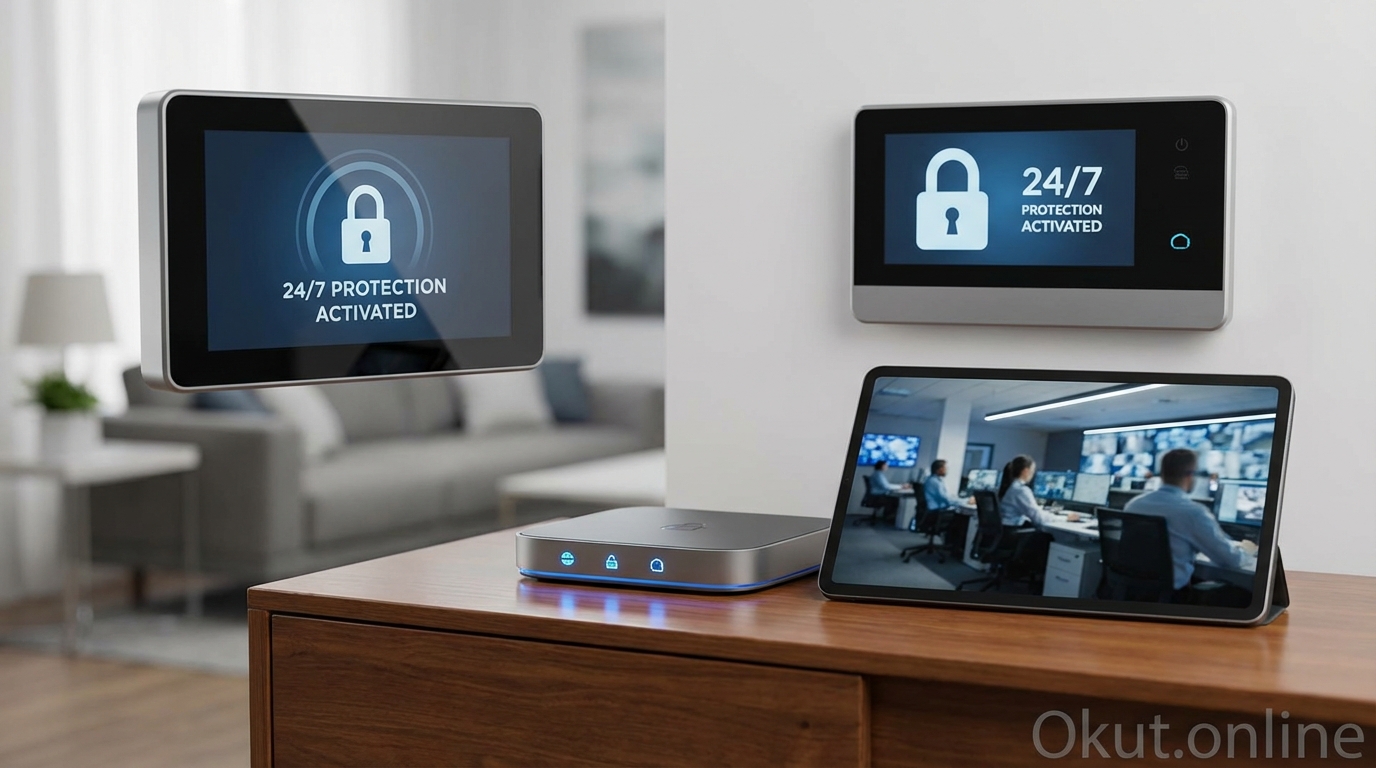
Professional monitoring transforms your smart security system from a self-managed notification system into a 24/7 protected service with emergency response capabilities. In 2026, the distinction between DIY smart security and professionally monitored systems has blurred significantly—most major platforms now offer both self-monitoring and professional monitoring options, letting you choose the level of protection that matches your risk tolerance and budget. This comprehensive guide explains how professional monitoring works, compares major monitoring services, and helps you decide whether professional monitoring makes sense for your smart security setup.
I. Understanding Professional Monitoring
Professional monitoring adds a 24/7 staffed response center to your security system. When alarms trigger, trained operators verify the event, attempt to contact you, and dispatch emergency services if needed. This human oversight layer addresses the fundamental limitation of self-monitored systems: notifications only help if you see them, are awake, have phone signal, and can respond appropriately—conditions that don’t always exist during actual emergencies.
A. How Professional Monitoring Works
When a monitored sensor triggers an alarm condition—motion while the system is armed, door opening, smoke detection, or panic button activation—the alarm system transmits an alert to a monitoring center, typically through internet connection with cellular backup for reliability.
Monitoring center operators receive the alert along with information about your system, account, and the specific sensor that triggered. Modern systems often include video verification, showing operators a clip from cameras near the triggering sensor to help assess whether the event appears to be a genuine emergency or a false alarm.
Verification protocols vary by company and subscription level. Basic protocols attempt to contact you at designated phone numbers, asking for your verbal password to confirm everything is okay. If you don’t answer or can’t provide the password, emergency services are dispatched. Enhanced protocols may include two-way audio communication through your security panel, video review to verify threats visually, or multiple contact attempts across different phone numbers.
Emergency dispatch occurs when verification indicates a genuine emergency or when contact attempts fail. The monitoring center contacts local police, fire, or emergency medical services depending on the alarm type, providing your address and available information about the situation. Some services maintain direct connections to local dispatch centers; others route through 911 like a civilian call.
Response time from alarm trigger to emergency dispatch typically ranges from 15-45 seconds for fast protocols to several minutes for systems requiring multiple verification steps. Faster protocols may generate more false alarm dispatches; slower protocols provide more opportunity to cancel accidental alarms but delay response to genuine emergencies.
B. Self-Monitoring vs Professional Monitoring
Self-monitoring relies entirely on your own response to notifications. When sensors trigger, your phone receives alerts, and you decide whether to investigate, call police yourself, or ignore the notification. This approach costs nothing beyond equipment but depends entirely on your availability and judgment.
Professional monitoring ensures response even when you’re unavailable. If you’re asleep, in meetings, traveling in areas without signal, or otherwise unable to respond, the monitoring center handles the situation. The monthly cost buys this reliability layer that self-monitoring cannot provide.
Hybrid approaches use self-monitoring normally while adding professional backup for specific high-risk situations. You might enable professional monitoring only when traveling or only for overnight hours, reducing monthly costs while maintaining critical coverage.
Response time comparison favors professional monitoring in most scenarios. Self-monitoring requires you to notice the notification, assess the situation, and call emergency services yourself—a process that might take minutes if you’re away from your phone or distracted. Professional monitoring initiates the dispatch process within seconds of failed verification, often getting help en route before you’d even see the notification.
C. When Professional Monitoring Makes Sense
Professional monitoring provides maximum value in specific scenarios where rapid response matters most and self-monitoring limitations pose real risks.
Frequent travel or extended absences mean your home sits empty when you’re least able to respond quickly. If your vacation flight lands to discover burglary notifications from hours ago, there’s nothing productive you can do. Professional monitoring would have dispatched police immediately, potentially preventing the burglary or significantly reducing losses.
Elderly or vulnerable household members may need emergency response they cannot request themselves. Medical alerts, fall detection, and panic buttons connected to professional monitoring ensure help arrives even if family members can’t make calls or don’t realize there’s an emergency.
High-value homes or neighborhoods with elevated crime rates face greater risk that justifies the protection investment. When stakes are higher—whether from valuable contents, isolated locations, or demonstrated neighborhood crime—professional monitoring provides proportionally greater value.
Insurance requirements or discounts may mandate or incentivize professional monitoring. Many insurers offer 5-20% homeowner’s insurance discounts for professionally monitored security systems, potentially offsetting a significant portion of monitoring costs while providing the actual protection benefit.
Peace of mind justifies the cost for many users regardless of objective risk analysis. Knowing that trained professionals are watching your home 24/7 provides psychological comfort that self-monitoring cannot match, and that comfort has real value for quality of life and stress reduction.
II. Major Professional Monitoring Services (2026)
The professional monitoring landscape spans DIY-friendly services from smart security brands to traditional alarm companies with comprehensive professional installation and service.
A. Ring Protect Pro – $20/month
Ring’s professional monitoring service provides 24/7 response center coverage for Ring Alarm systems, integrating seamlessly with Ring’s camera and doorbell ecosystem.
Ring Alarm hardware includes the Ring Alarm base station ($199 for base station or $279 for starter kit with a few sensors), Ring-branded sensors for doors, windows, and motion, and optional add-ons like Glass Break Sensors and Smoke/CO Listeners that connect conventional detectors to the monitored system.
Video verification through Ring cameras enables monitoring center operators to view camera footage when alarms trigger, helping distinguish genuine emergencies from false alarms. This visual assessment can improve response accuracy while potentially reducing unnecessary police dispatches.
Cellular backup ensures alarm signals reach the monitoring center even during internet outages. The Ring Alarm Pro base station includes built-in cellular connectivity that activates automatically when primary internet fails, maintaining monitoring continuity through technical problems or intentional internet disruption.
Eero mesh Wi-Fi integration in the Ring Alarm Pro base station adds whole-home Wi-Fi mesh capability, potentially eliminating the need for separate mesh systems while providing the network infrastructure Ring cameras and smart home devices need for reliable operation.
Extended warranty coverage through Ring Protect Pro replaces failed Ring devices at no additional cost, adding equipment protection that extends beyond manufacturer warranty periods.
The $20 monthly cost covers unlimited Ring devices at one address. Compared to per-device Ring Protect Basic at $3.99/month per camera, households with several Ring cameras may find Ring Protect Pro more economical even before considering monitoring value.
B. SimpliSafe Interactive Monitoring – $27.99/month
SimpliSafe built their brand on accessible professional monitoring without long-term contracts, offering straightforward service at transparent prices.
No contracts required means you can cancel monitoring monthly without penalties. Start monitoring when you move to a new home; cancel if you move to an apartment where the landlord provides security; restart if circumstances change. This flexibility contrasts sharply with traditional alarm companies requiring 2-3 year contracts with early termination fees.
Camera integration at the Interactive tier provides cloud recording for SimpliSafe cameras alongside alarm monitoring. The same $27.99/month covers both security monitoring and camera functionality, eliminating separate subscription requirements.
Secret alerts provide notification for specified sensor activity without triggering alarm responses. Monitor when children arrive home, track which doors elderly family members use, or maintain awareness of specific areas without treating activity as security threats requiring response.
Dual monitoring connections use both cellular and Wi-Fi paths to reach monitoring centers, providing redundancy if either connection fails. This dual-path approach improves reliability compared to internet-only connections vulnerable to outage or sabotage.
911 dispatch without verification is available as an option for users preferring fastest possible response over false alarm prevention. Standard service verifies before dispatch; aggressive settings prioritize speed over accuracy for those accepting the tradeoff.
Equipment ecosystem includes proprietary SimpliSafe sensors and cameras designed specifically for their system. Third-party sensor integration is limited—you’ll use SimpliSafe-branded equipment rather than mixing brands as some platforms allow.
C. ADT Professional Monitoring – $28-52/month
ADT represents the traditional alarm industry’s evolution into the smart home era, combining legacy infrastructure with modern DIY and smart home options.
ADT+ DIY system ($28/month) provides self-installed equipment with ADT professional monitoring, targeting the same market as Ring and SimpliSafe with ADT’s established monitoring infrastructure. The system uses Google Nest equipment, bringing Nest’s smart home capabilities under ADT’s monitoring umbrella.
Professional installation options ($45-52/month for professional service tier) provide technician installation and service for those preferring hands-off setup. Technician installers optimize sensor placement, verify system function, and provide equipment training—services DIY approaches require you to handle yourself.
Established monitoring infrastructure has operated for decades with redundant monitoring centers across multiple geographic locations. When one center experiences problems, others absorb the workload seamlessly. This infrastructure maturity provides reliability that newer services are still building.
Contract requirements (typically 36 months for professional installation packages) and early termination fees characterize traditional ADT offerings. The DIY ADT+ option reduces these commitments but traditional packages remain more restrictive than competitors.
Smart home integration through Google Nest provides compatibility with Google ecosystem devices, automations, and voice control. The ADT + Google partnership positions ADT as the monitoring layer beneath Google’s smart home platform rather than a competing ecosystem.
Local police relationships developed over decades can improve dispatch priority in some jurisdictions. While difficult to verify, ADT’s longstanding presence may provide familiarity benefits with local emergency dispatchers compared to newer monitoring services.
D. Abode Pro Monitoring – $20/month (or $8/month for reservable monitoring)
Abode offers unique flexibility with on-demand professional monitoring you can enable only when needed rather than paying monthly regardless of usage.
Standard Pro Monitoring at $20/month provides traditional 24/7 professional monitoring comparable to Ring and SimpliSafe offerings at competitive pricing.
On-demand monitoring at $8/month provides the ability to activate 3 days or 7 days of professional monitoring when you need it—perhaps during vacations, business trips, or periods of elevated concern—without paying for coverage during ordinary times when you’re home and self-monitoring suits your needs.
This hybrid approach dramatically reduces annual costs for users who travel occasionally but don’t need or want continuous professional monitoring. Someone away from home 30 days annually might pay $8/month baseline plus $6 per 7-day activation period ($24-30 annually for the away periods), totaling around $100-120/year compared to $200-330 for continuous monitoring from competitors.
HomeKit compatibility distinguishes Abode for Apple-focused households wanting alarm integration within Apple’s Home app without third-party bridges. Abode sensors and the hub work directly with HomeKit, and professional monitoring integrates with the same equipment.
Wide device compatibility using Zigbee and Z-Wave standards accepts sensors and devices from many manufacturers beyond Abode’s own products. This ecosystem openness provides flexibility that proprietary-only systems like SimpliSafe cannot match.
III. Connecting Your Smart Security System
Connecting existing smart security devices to professional monitoring requires understanding your system’s compatibility and any required hardware additions.
A. Native Platform Connections
The simplest path connects to monitoring services offered by your equipment manufacturer—Ring devices with Ring Protect Pro, SimpliSafe devices with SimpliSafe monitoring, and Nest devices with ADT+ monitoring.
Ring Alarm acts as the monitoring hub for all Ring security devices. When you subscribe to Ring Protect Pro, all connected Ring Alarm sensors, Ring cameras (via video verification), and Ring devices participate in the monitored system. Setup involves adding monitoring in the Ring app, providing emergency contact information and address verification, and paying the first month’s subscription.
SimpliSafe works exclusively with SimpliSafe-branded equipment. Their sensors use proprietary wireless communication that doesn’t interoperate with other platforms. If you have SimpliSafe equipment, professional monitoring connects through SimpliSafe’s service; if you want SimpliSafe monitoring, you need SimpliSafe equipment.
Nest security devices (Nest Aware, Nest Secure legacy, or Nest Guard) integrate with ADT through the Google/ADT partnership. Nest cameras provide video verification for ADT monitoring; Nest sensors connect through compatible hubs to the ADT monitoring network.
B. Third-Party Monitoring Connections
Third-party monitoring services connect to compatible equipment from various manufacturers, providing choices beyond manufacturer-specific offerings.
Noonlight provides monitoring services integrated with various smart home platforms including SmartThings, Hubitat, and Home Assistant. Using these platforms’ built-in or add-on Noonlight integration, alarms triggered by any connected sensors can notify Noonlight for professional response. This approach works with sensors from any compatible manufacturer, not just proprietary ecosystems.
Abode’s broad compatibility makes it a monitoring hub option for diverse equipment. Zigbee and Z-Wave sensors from most manufacturers connect to the Abode hub, which then connects to Abode’s professional monitoring service. You can use sensors you already own from other projects as part of your monitored Abode system.
Traditional alarm panels with smart upgrades add monitoring to legacy hardwired systems. If your home has existing wired security sensors from a previous alarm system, products like Konnected boards convert these wired zones to smart home signals, which can then connect to professional monitoring through compatible platforms. This approach preserves past security investments while adding modern capabilities.
C. Integration Considerations
Several factors affect which monitoring options work with your existing equipment.
Communication protocols determine connectivity options. Zigbee and Z-Wave devices can typically connect to multiple different hubs supporting those protocols; Wi-Fi devices often work only with their manufacturer’s app and services; proprietary protocols like SimpliSafe’s require that manufacturer’s equipment.
Hub requirements vary by monitoring service. Ring requires Ring Alarm base station; SimpliSafe requires their base station; Abode requires Abode hub. Adding professional monitoring usually means adding the monitoring service’s hub to your smart home, which may or may not integrate smoothly with hubs you already use.
Camera integration for video verification works best with cameras from the same ecosystem as monitoring. Ring Protect Pro uses Ring cameras for video verification; third-party cameras may not integrate for verification purposes even if they record the same areas. Consider whether video verification capability matters for your monitoring needs.
Overlap management becomes necessary when adding monitoring to existing smart home setups. You may need to reconfigure which hub controls which devices, or accept some redundancy where devices appear in multiple apps. Plan the integration before purchasing to avoid conflicts and confusion.
IV. False Alarm Prevention and Management
False alarms waste emergency responder resources, strain your relationship with monitoring services, and in many jurisdictions result in fines after repeated incidents. Preventing false alarms and managing them when they occur protects both community resources and your ongoing monitoring service.
A. Common False Alarm Causes
User error causes the majority of false alarms, typically from disarming mistakes after entering through monitored doors. Rushed entry, forgotten codes, or confusion about system status results in legitimate entry triggering alarm response. Entry delay timing provides some buffer, but delays that feel comfortable when unhurried become too short when you’re carrying groceries with a phone ringing.
Pets trigger motion sensors not adequately configured for pet immunity. Dogs larger than the sensor’s rating, cats jumping onto furniture within sensor range, or pets accessing areas where you didn’t expect them all cause motion alarms while the system is armed in Home mode.
Environmental factors including loose doors that rattle, extreme temperature changes affecting sensors, or drafts triggering motion detection all create alarm conditions without any actual threat. Seasonal changes often reveal environmental triggers that weren’t problems in previous conditions.
Equipment malfunctions—batteries dying mid-cycle, sensors drifting out of calibration, or weak wireless signals causing intermittent disconnection—can generate alarm signals or fail to process disarm commands correctly.
B. Prevention Strategies
Entry delay extensions provide more time to disarm before alarms trigger. If you consistently feel rushed entering your home, extend the entry delay in your system settings—common options range from 30 seconds to 2+ minutes.
Geofencing automation can disarm systems automatically as you approach home, eliminating the need to race from door to keypad. Your phone’s location approaching the property triggers disarm before you open the door. The security trade-off (automatic disarm reduces security slightly) often proves worthwhile for households with frequent false alarms from disarm timing issues.
Pet-aware configuration uses sensors designed for pet immunity, positions sensors to minimize pet detection zones, or excludes particularly problematic sensors from Home mode arming while maintaining them for Away mode.
Equipment maintenance including regular battery replacement, sensor position verification, and wireless signal testing prevents malfunctions from creating false alarms. Monthly testing catches problems before they manifest as alarmed emergencies.
Household education ensures everyone who enters the home understands the system and their codes work reliably. Practice disarm procedures with new household members or guests who’ll be entering during armed periods.
C. Handling False Alarms
Immediate response to monitoring center verification calls is essential. Answer your phone when the monitoring center calls after alarms trigger; provide your verbal password promptly to cancel dispatch. Every second you don’t answer extends the verification period until dispatch proceeds.
Designated responders in the monitoring center’s contact list should include people likely to answer their phones at all hours. If your primary contact is in a meeting or asleep, the secondary contact needs to be available. Review and update contact lists at least annually.
Cancel codes allow stopping dispatch even after verification fails, in some systems. Learn whether your monitoring service offers any post-alarm cancellation options and what procedures apply.
Post-incident analysis after any false alarm should identify the cause and implement prevention. Simply acknowledging “false alarm” without understanding why it happened guarantees future repetition.
V. Cost Analysis
Understanding total costs—equipment, installation, and ongoing monitoring—enables meaningful comparison between monitoring options and informed decisions about whether monitoring’s value justifies its expense.
A. Monthly Cost Comparison
| Service | Monthly Cost | Contract Required | Key Features |
|---|---|---|---|
| Ring Protect Pro | $20 | No | Video verification, cellular backup, device warranty |
| SimpliSafe Interactive | $27.99 | No | Camera storage, secret alerts, unlimited sensors |
| ADT+ DIY | $28 | No | Google/Nest integration, established infrastructure |
| ADT Professional | $45-52 | 36 months typically | Professional installation, equipment included |
| Abode Pro | $20 | No | HomeKit support, wide device compatibility |
| Abode On-Demand | $8 + per-period charges | No | Pay only when activated |
B. Equipment Cost Comparison
DIY system equipment costs run $200-600 for starter kits with expansion options adding $15-40 per additional sensor. Ring Alarm starter kit ($279) includes base station, keypad, door sensor, and motion sensor; adding comprehensive coverage typically brings total equipment cost to $400-600 for average homes.
Professional installation packages often include equipment in the monthly price or installation fee, with varying amounts of included sensors and cameras. ADT professional packages may include $800-1,500 worth of installed equipment, offset by higher monthly fees and contract commitments.
Long-term cost analysis reveals that DIY systems with lower monthly fees often cost less over 3-5 years despite higher upfront equipment costs. A Ring system with $500 equipment and $20/month costs $1,220 over three years; an ADT professional package with “free” equipment at $52/month costs $1,872 over the same period.
C. Insurance Discount Considerations
Homeowner’s insurance discounts for monitored security systems can offset a portion of monitoring costs. Discounts typically range from 5-20% depending on insurer and system specifications.
Certificate of monitoring from your security company documents professional monitoring for insurance discount applications. Request certificates during enrollment and annual renewals.
Break-even calculation compares monitoring costs to insurance savings. If your insurance premium is $1,500/year and monitored security provides a 10% discount ($150/year), a monitoring service costing $200/year has a net cost of only $50/year after the discount—potentially justifying monitoring on financial grounds alone.
VI. Common Mistakes to Avoid
- Choosing Based on Monthly Cost Alone: The cheapest monitoring may require equipment that costs more than savings over your expected use period. Evaluate total cost including equipment, not just monthly fees.
- Ignoring Contract Terms: Long-term contracts with early termination fees effectively lock you in regardless of satisfaction or life changes. Prioritize no-contract options unless contract pricing genuinely compensates for the restriction.
- Inadequate Contact Information: Monitoring centers need reliable contact methods to reach you for verification. Outdated phone numbers, phones typically silenced, or contacts who don’t understand verification procedures all delay response.
- Assuming All Monitoring Is Equal: Verification procedures, response times, and dispatch relationships vary significantly between services. Research how your specific service handles alarms rather than assuming generic “professional monitoring” behavior.
- Skipping Insurance Discount Research: Many users don’t realize their insurance offers security discounts or don’t claim discounts they’re entitled to. Contact your insurer before finalizing security decisions to understand potential savings.
VII. Practical Tips for Monitored Security Success
- Test Monthly: Trigger test alarms following your monitoring service’s test procedures. Verify communication reaches the monitoring center and callbacks work correctly. Discovering communication problems during an actual emergency is catastrophic.
- Update Contacts Promptly: Any phone number change, household composition change, or contact availability change should immediately update in your monitoring service’s records.
- Know Your Verbal Password: When monitoring centers call for verification, they’ll ask for your verbal password. Make sure everyone in the household knows it and can say it under the stress of an unexpected phone call.
- Document Your System: Maintain records of all connected devices, their locations, and their purpose. If technicians or monitoring center need to troubleshoot, clear documentation speeds resolution.
- Review Activity Logs: Most monitoring services provide logs of alarm events, tests, and arming/disarming history. Periodic review catches unusual patterns that might indicate problems or unauthorized access attempts.
VIII. Conclusion
Professional monitoring adds a crucial layer to smart home security systems: the guarantee that trained humans will respond to alarms whether or not you’re available to notice or act. Services from Ring, SimpliSafe, ADT, and Abode provide varying combinations of features, costs, and flexibility—from traditional contracted service to innovative on-demand monitoring that activates only when you need it. The decision to add professional monitoring depends on your travel patterns, household composition, risk tolerance, and budget. For high-stakes protection with 24/7 reliability, professional monitoring justifies its cost through peace of mind, response capability, and often insurance benefits that offset a portion of the expense.
Do you use professional monitoring for your smart security system, or do you prefer self-monitoring? What factors influenced your choice? Share your experience in the comments!
About the Author