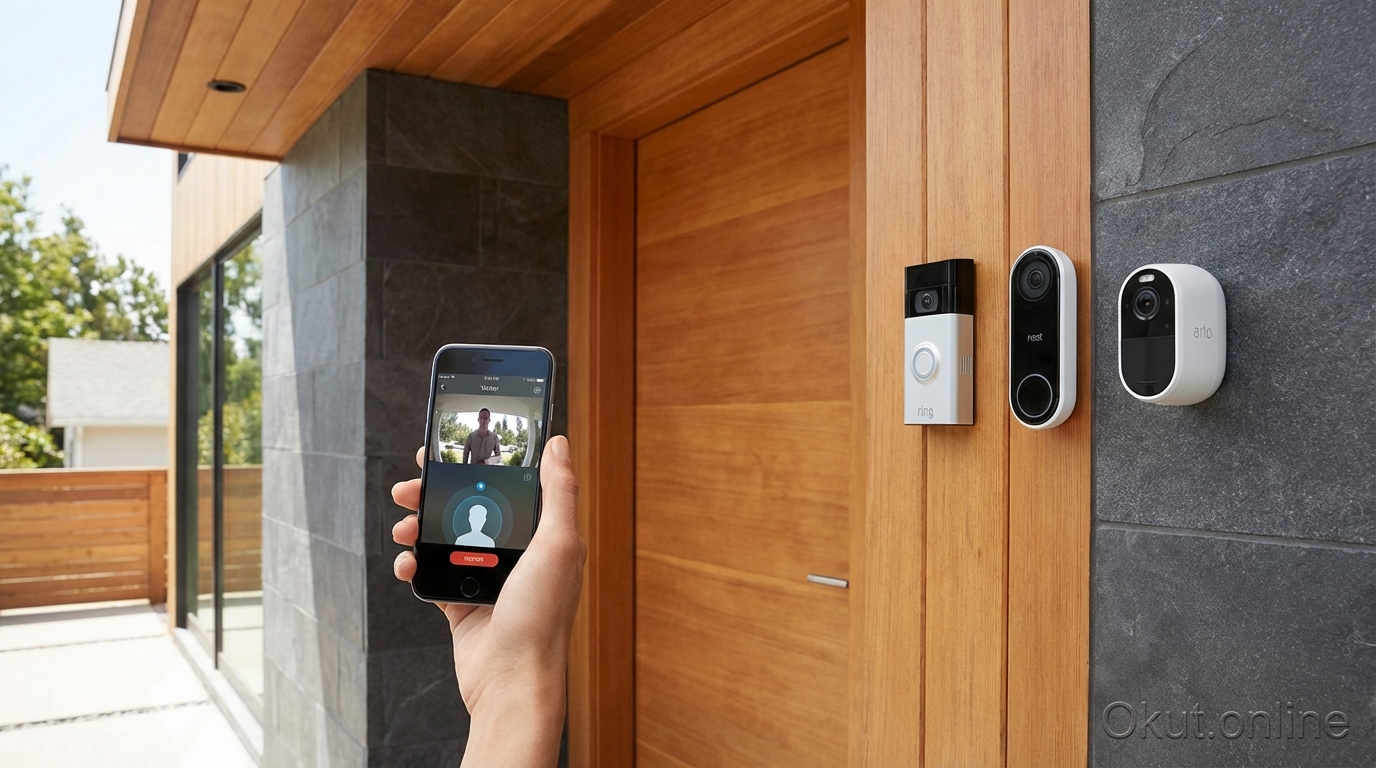
Video doorbells have become essential smart home devices, letting you see, hear, and speak to visitors from anywhere in the world. In 2026, the competition between Ring, Nest, and Arlo has intensified, with each brand offering compelling features at various price points. This comprehensive comparison examines picture quality, smart features, subscription requirements, and real-world performance to help you choose the perfect video doorbell for your home.
I. Video Doorbell Technology Overview
Modern video doorbells combine high-definition cameras, motion sensors, two-way audio, and cloud connectivity into compact devices that replace or supplement your existing doorbell. They serve multiple purposes: package theft deterrence, visitor screening, home security monitoring, and convenient communication with delivery personnel. Understanding the core technology helps you evaluate which features matter most for your specific situation and home environment.
A. Key Components of Video Doorbells
Every video doorbell shares fundamental components, though implementation quality varies dramatically between budget and premium models. The camera sensor is the heart of any video doorbell, and while manufacturers often tout megapixel counts, the actual resolution and image processing matter more. Ring Pro 2 captures at 1536p (2048×1536), providing exceptional detail for identifying faces and reading package labels. Nest Doorbell uses a unique 960×1280 portrait-optimized format that shows more of a person standing at your door than traditional landscape orientations. Arlo Essential captures at 1536×1536 in a square format, balancing horizontal and vertical coverage.
The field of view determines how much area the camera can see, measured in degrees. Most quality doorbells offer between 145° and 180° diagonal field of view. Wider views capture more of your porch and approaching pathways, but introduce edge distortion that can make straight lines appear curved. For most residential installations, the sweet spot falls between 150-160°, providing comprehensive coverage without excessive distortion that might interfere with face recognition or package reading.
Night vision capabilities have become increasingly sophisticated. All quality doorbells include infrared LEDs that illuminate the scene invisibly, producing clear black-and-white footage in complete darkness. Premium models now add color night vision using advanced sensors that amplify ambient light from street lamps, porch lights, or even moonlight. Color night vision proves invaluable for identifying intruder clothing colors, vehicle details, and other specifics that black-and-white footage cannot capture.
Motion detection technology varies significantly between manufacturers. Basic passive infrared (PIR) sensors detect heat movement, triggering recording when someone approaches. Advanced systems add radar-based detection (Ring Pro 2’s 3D Motion Detection), computer vision processing, or combinations that distinguish between people, packages, animals, and vehicles. This intelligence dramatically reduces false alerts from passing cars, swaying trees, or neighborhood cats while ensuring you never miss an actual visitor.
Two-way audio allows real-time conversation with anyone at your door. A built-in microphone captures their voice while a speaker projects yours. Quality varies significantly between models—some sound tinny and distorted while others approach phone call clarity. The best systems include noise cancellation that filters out wind, traffic, and other background sounds, making conversations comfortable even in noisy environments.
B. Wired vs Battery-Powered Considerations
Your existing doorbell wiring (or lack thereof) significantly impacts which models you can install and their long-term performance characteristics. Understanding these trade-offs helps you select the right power configuration for your situation.
Wired installation connects to existing doorbell transformer wiring, typically 16-24V AC from a transformer mounted near your electrical panel. This provides continuous power, enabling features impossible with battery operation: 24/7 continuous recording (Nest Doorbell Wired), faster motion detection response times, and instant video streaming without the delay of waking from low-power sleep mode. If your home has existing doorbell wiring from a traditional doorbell, wired installation usually makes the most sense. However, some older homes use 8-12V transformers that require affordable upgrades ($20-40 transformer replacement) to support modern video doorbells.
Battery-powered doorbells install anywhere without electrical work, making them perfect for renters, apartments without existing doorbells, or any location where running wires proves impractical. Modern batteries last 2-6 months depending on activity level, video quality settings, temperature, and feature usage. Cold weather significantly reduces battery performance—expect roughly half the battery life during winter months. Most manufacturers offer quick-release battery packs that recharge via USB-C in approximately four hours, and purchasing a spare battery eliminates any downtime while charging.
Solar charging options have matured considerably. Add-on solar panels like the Ring Solar Panel ($49) or integrated solar (Arlo Essential Solar) extend battery life in sunny locations. In most climates with 4+ hours of direct sunlight on the panel, solar supplementation reduces charging frequency by 50-70%. However, solar shouldn’t be considered a complete charging replacement—winter months with short days and low sun angles may still require occasional manual charging, especially in northern latitudes.
II. Ring Video Doorbell Lineup (2026)
Ring dominates the video doorbell market with over 40% market share in North America. Their deep integration with Amazon’s ecosystem, aggressive promotional pricing, and extensive product lineup have made Ring the default choice for many homeowners. The 2026 lineup offers options from budget-friendly entry models to premium flagship devices.
A. Ring Video Doorbell (4th Gen) – $99
The entry-level Ring offers surprising capability at its price point, making smart doorbell technology accessible to nearly any budget. At $99, it costs less than many dumb decorative doorbells while adding features that transform your front door security.
Video resolution reaches 1080p HD with improved color accuracy over previous generations. While not as sharp as premium models, 1080p proves sufficient for identifying faces, reading package labels, and capturing license plates of cars in your driveway. The 1080p resolution also reduces cloud storage requirements and streams smoothly even on slower internet connections.
Power flexibility includes both battery-powered and hardwired installation options. The quick-release battery pack recharges via USB-C in approximately four hours. For homes with existing doorbell wiring, the same unit connects directly to 16-24V AC power for continuous operation without battery concerns.
Motion detection includes adjustable motion zones with sensitivity settings, allowing you to define exactly where motion should trigger alerts. However, the entry-level Ring lacks advanced person/package detection without a Ring Protect subscription. Without the subscription, you’ll receive alerts for all motion including passing cars and neighborhood animals.
The 4th Gen Ring represents the ideal starting point for first-time smart doorbell buyers, renters who may move and need to bring their doorbell with them, and budget-conscious homeowners who want reliable basic functionality without the $200-300 premium models demand.
B. Ring Video Doorbell Pro 2 – $249
Ring’s flagship doorbell delivers the most advanced features in their lineup, justifying its premium price for security-focused homeowners who want cutting-edge technology protecting their front door.
The Head-to-Toe HD resolution captures at 1536p (2048×1536), providing four times the pixel count of the entry-level model. More importantly, the aspect ratio captures visitors from head to feet without the fisheye distortion common in wide-angle cameras. This means you see the face of someone at your door AND the package they’re carrying or holding at waist level—critical for complete visitor identification and package verification.
3D Motion Detection uses radar to measure the precise distance and location of moving objects, creating a “bird’s eye view” map showing exactly where motion occurred on your property. This technology dramatically reduces false alerts by distinguishing between someone walking toward your door versus a person walking on the sidewalk twenty feet away. You can configure motion zones in three dimensions, ignoring activity in areas that don’t concern you while remaining sensitive in areas that do.
Pre-Roll captures 4 seconds of video before motion triggers recording, ensuring you never miss the beginning of an event. Traditional motion-triggered cameras start recording when motion is detected, often missing the initial approach that provides context. Pre-Roll changes this by continuously buffering video and including those crucial first seconds when someone first appears. This feature proves invaluable for package theft evidence where you need to see the thief’s approach and departure, not just them grabbing the package.
Unlike the battery-powered entry model, the Pro 2 requires wired installation with 16-24V AC doorbell wiring. This limitation may require an electrician for homes without existing doorbell infrastructure, but the wired power enables all the advanced features that would drain batteries in days rather than months.
Dual-band Wi-Fi connects to both 2.4GHz and 5GHz networks, allowing the doorbell to use whichever band provides the strongest, most reliable connection at your front door. This flexibility reduces video buffering, connection drops, and notification delays that plague doorbells limited to congested 2.4GHz networks.
C. Ring Subscription: Ring Protect Plans
Ring hardware works without subscription for live viewing and two-way conversation, but meaningful security functionality requires a Ring Protect plan. Understanding the subscription tiers helps you evaluate total cost of ownership over the life of the product.
Ring Protect Basic costs $3.99 per month or $39.99 annually and covers a single device. The plan includes 180-day video history (far longer than competitors’ 30-60 days), video sharing capability to send clips to neighbors or police, snapshot capture that takes still images at intervals between motion events, and person alerts that notify you specifically when a person (rather than a car or animal) triggers motion. For any meaningful security use, Basic subscription is essentially required—without it, your doorbell only provides live viewing with no recording capability.
Ring Protect Plus costs $10 per month or $100 annually and covers unlimited Ring devices at one address. This plan includes everything in Basic plus 24/7 professional monitoring option through Ring Alarm, extended warranty coverage, and 10% discount on all Ring.com purchases. For homes with multiple Ring cameras or the Ring Alarm system, Plus provides significantly better value than individual Basic subscriptions.
Ring Protect Pro costs $20 per month or $200 annually with everything in Plus plus additional Alarm Pro features including integrated Eero Wi-Fi mesh network, digital security services including VPN, and advanced monitoring capabilities. Pro targets serious Ring ecosystem users with Ring Alarm Pro as their security hub.
III. Google Nest Doorbell (2026)
Google’s Nest Doorbell takes a different approach from Ring, emphasizing AI-powered intelligence and seamless Google ecosystem integration over raw specifications. The 2026 models build on the successful battery-powered design while adding frequently requested features and refining the intelligent alert system.
A. Nest Doorbell (Battery) – $179
The current Nest Doorbell prioritizes intelligent alerts and privacy controls, appealing to users concerned about data security and notification overload from constant false alerts.
The 960×1280 HDR resolution in 3:4 portrait aspect ratio represents an unconventional choice that initially seems inferior to competitors’ higher resolutions. However, the portrait orientation proves more practical for doorbell viewing—it captures full-height views of tall visitors and packages at your feet in the same frame, eliminating the awkward cropping that landscape orientations require. The resolution works out to approximately 1.2 megapixels versus Ring’s 3.1 megapixels, but the practical difference in identifying visitors is minimal while the portrait framing provides real-world benefits.
On-device AI processing represents Nest’s most significant differentiation. The doorbell’s built-in processor runs artificial intelligence locally, identifying people, packages, animals, and vehicles without sending video to Google’s cloud servers for analysis. This approach improves privacy (your video never leaves the device for AI processing), speeds up notification delivery (no round-trip to cloud servers), and enables smart alerts even without a Nest Aware subscription. The free tier includes 3 hours of event history with full AI-powered categorization—you’ll know if that notification is a person, package, or just the neighbor’s cat.
Familiar face recognition, available with Nest Aware subscription, takes the AI further by learning to recognize regular visitors and announcing them by name. After initial training with photos, your Google devices announce “Someone is at the front door—it looks like Sarah” rather than generic alerts. This personalization proves particularly valuable for families who want different responses to family members versus unknown visitors.
Battery life reaches approximately 2.5 months with typical activity of 10-15 events daily. Heavier traffic areas or higher video quality settings reduce battery life proportionally. The option for hardwired installation via separate adapter provides continuous power for those with existing doorbell wiring who prefer Nest’s AI capabilities.
B. Nest Doorbell (Wired) – $179
For homes with existing doorbell wiring, the wired Nest offers identical AI features plus continuous recording capability that fundamentally changes how you use a video doorbell.
24/7 Continuous Recording captures everything that happens at your door around the clock, not just motion-triggered events. This feature requires the Nest Aware Plus subscription ($12/month) but provides invaluable coverage for situations where motion detection might not trigger: someone approaching slowly, a car idling at your curb, or suspicious activity that doesn’t cross motion detection thresholds. When something happens that you need to investigate, you can scrub through continuous footage to find it regardless of whether motion was detected.
The wired power enables faster response times—instant video streaming when you open the app, immediate motion detection without the delay of waking from battery-saving sleep mode, and consistent performance regardless of outdoor temperature that would affect battery capacity.
All AI features from the battery version work identically, including on-device processing, smart alerts by category, and familiar face recognition with subscription.
C. Nest Aware Subscription Plans
Nest hardware includes more free functionality than Ring, with meaningful subscription tiers for advanced users who need extended history or continuous recording.
The free tier provides 3 hours of event video history, live streaming anytime, two-way talk, and all intelligent alerts with AI categorization. This surprisingly functional baseline works adequately for basic doorbell use but proves inadequate for security purposes where you need to review events from earlier in the day or previous days.
Nest Aware at $8 per month covers all cameras at one home with 30 days of event video history, familiar face detection, and customizable activity zones. This subscription makes sense for most Nest doorbell users who want meaningful video retention without continuous recording needs.
Nest Aware Plus at $12 per month adds 60 days of event history plus 10 days of continuous 24/7 recording for wired cameras. The continuous recording capability differentiates this tier and requires the wired doorbell version to utilize fully—battery-powered doorbells cannot support continuous recording regardless of subscription level.
IV. Arlo Video Doorbell Options (2026)
Arlo positions itself as the premium option for users prioritizing video quality and local storage options. Their doorbells integrate seamlessly with Arlo’s broader camera ecosystem while offering unique privacy features that neither Ring nor Nest match.
A. Arlo Essential Video Doorbell (2nd Gen) – $149
The Essential line offers Arlo quality at a more accessible price point, though some advanced features remain reserved for higher tiers and the separate camera product lines.
Resolution reaches 1536×1536 in a unique square aspect ratio with 180° diagonal field of view. The square format shows significant peripheral area—nearly as much horizontal coverage as landscape cameras with significantly more vertical coverage than traditional aspect ratios. This geometry proves particularly effective for covered porches where threats may approach from multiple angles.
Direct Wi-Fi connection eliminates base station requirements, connecting the doorbell directly to your home network. This simplifies installation and reduces system cost compared to earlier Arlo products that required dedicated hub hardware. The doorbell appears on your network like any other smart home device and communicates directly with Arlo’s cloud services.
HDR (High Dynamic Range) processing handles challenging lighting scenarios that defeat simpler cameras. A bright sky behind a shaded porch typically causes either a blown-out sky or a silhouetted visitor—HDR captures detail in both simultaneously. Color night vision activates in low-light conditions where some ambient light exists, providing more useful footage than infrared-only alternatives.
Motion detection includes AI-powered categorization for people, packages, vehicles, and animals, running on cloud servers rather than locally on the device. This cloud processing introduces 1-2 seconds of delay before notifications arrive but enables sophisticated detection without requiring powerful (and expensive) on-device processors.
B. Arlo Video Doorbell (Premium) – $199
Arlo’s premium doorbell adds features that security enthusiasts and privacy-conscious users specifically seek.
2K HDR resolution provides the highest native resolution among major doorbell brands, capturing fine details like license plate characters and facial features with clarity that 1080p cameras simply cannot match. When you need to zoom into recorded footage to identify someone or something, the extra resolution provides meaningful improvement in useful detail.
Emergency Response functionality connects directly to emergency services through the Arlo app. In a threatening situation, pressing the emergency button alerts police with your location and live video feed. This feature doesn’t replace traditional alarm monitoring but adds an additional panic button option when you see something concerning on your doorbell camera.
Dual Connectivity allows the doorbell to work with or without the Arlo SmartHub base station. When connected to a SmartHub, the doorbell can record locally to a USB-connected drive, eliminating cloud dependency entirely. This local recording option provides several advantages: footage remains accessible during internet outages, there are no subscription fees for basic recording, and video never touches external servers for complete privacy. The same doorbell also works without the hub for users who prefer cloud convenience.
C. Arlo Subscription: Arlo Secure Plans
Arlo offers the most generous free tier among major video doorbell brands, with premium subscriptions adding advanced features rather than basic functionality.
The free tier includes a remarkable 7 days of cloud recording—more than double most competitors’ free offerings—along with motion alerts, live streaming, and two-way talk. For budget-conscious users or secondary camera locations, the free tier provides genuinely useful security functionality without any monthly fees.
Arlo Secure at $7.99 per month per camera extends cloud history to 30 days and adds AI-powered detection for people, packages, vehicles, and animals, custom activity zones for precise motion detection, and priority customer support. Per-camera pricing makes this plan expensive for multiple Arlo devices but reasonable for a single doorbell.
Arlo Secure Plus at $17.99 per month covers unlimited cameras with everything in the standard tier plus 24/7 emergency response services, theft protection that replaces stolen cameras free of charge, and additional smart home integrations. For households with multiple Arlo cameras, the unlimited device coverage provides significant savings compared to per-camera subscriptions.
V. Head-to-Head Feature Comparison
This detailed comparison table highlights the key differences between flagship models from each brand, helping you identify which specifications and features matter most for your specific use case and smart home ecosystem.
| Feature | Ring Pro 2 ($249) | Nest Doorbell Battery ($179) | Arlo Essential 2nd Gen ($149) |
|---|---|---|---|
| Resolution | 1536p (2048×1536) | 960×1280 (Portrait) | 1536×1536 (Square) |
| Field of View | 150° horizontal | 145° diagonal | 180° diagonal |
| Power Options | Wired only | Battery or wired adapter | Battery or wired |
| AI Detection Categories | People, Packages, Motion Zones | People, Packages, Animals, Vehicles, Familiar Faces | People, Packages, Animals, Vehicles |
| Pre-Roll Video | 4 seconds before motion | Not available | Not available |
| On-Device AI Processing | No (cloud-based) | Yes (local processing) | No (cloud-based) |
| Basic Subscription Cost | $3.99/month (one device) | $8/month (all cameras) | $7.99/month (per camera) |
| Free Tier Video Storage | Live view only (no recording) | 3 hours event history | 7 days cloud storage |
| Primary Smart Home Integration | Amazon Alexa (native) | Google Assistant (native) | All platforms equally |
| Local Recording Option | No | No | Yes (with SmartHub) |
VI. Video Quality and Performance Testing
Laboratory specifications tell part of the story, but real-world testing reveals how these doorbells perform in the challenging conditions homeowners actually face on front porches and entryways.
A. Daytime Image Quality
In bright daylight conditions, all three flagship doorbells produce excellent results, but differences emerge upon close examination. Ring Pro 2 delivers exceptional detail and color accuracy with HDR handling the common scenario of a bright sky behind a shaded porch visitor. The head-to-toe framing ensures you see everything from faces to packages without awkward cropping. Minor barrel distortion appears at the extreme frame edges but doesn’t affect the useful center area where visitors actually appear.
Nest Doorbell’s portrait orientation requires mental adjustment from landscape-trained expectations, but the format excels at showing complete people and their packages in a single frame. Colors appear slightly cooler and bluer than reality—skin tones look healthy but shifted slightly from true-to-life. HDR performance handles challenging backlighting effectively, maintaining face detail even when bright clouds dominate the background.
Arlo Essential produces the highest raw detail of the three thanks to superior resolution, visible when zooming into captured footage. The square format takes getting used to but provides comprehensive coverage of the entire porch area. Some users report occasional oversharpening that becomes visible at 100% zoom but remains irrelevant at normal viewing sizes on phones and tablets.
B. Night Vision Comparison
After dark, doorbell cameras reveal their true character as night vision technology varies significantly in implementation quality and practical results.
Ring Pro 2 offers strong infrared night vision with configurable LED brightness—you can reduce the infrared intensity if it reflects off nearby surfaces or increase it for maximum visibility in complete darkness. Color night vision activates automatically when your porch light is on, switching seamlessly between modes based on detected ambient light levels. The transition happens smoothly without jarring changes in the video feed.
Nest Doorbell’s infrared night vision performance proves adequate but doesn’t lead the category. The shorter IR throw distance may show less detail on subjects beyond fifteen feet from the camera. In low-light conditions with some ambient illumination, the camera maintains reasonable color but switches to black-and-white earlier than competitors when light levels drop.
Arlo Essential delivers the best infrared night vision of the three products tested, with a longer throw distance that illuminates subjects further from your door. Color night vision mode works in remarkably low light conditions where Ring and Nest have already switched to black-and-white infrared. When porch lights or nearby street lamps provide any ambient illumination, Arlo maintains color footage that competitors render in grayscale.
C. Motion Detection Accuracy
Motion detection accuracy directly impacts daily usability—too sensitive and you’re overwhelmed with false alerts, too conservative and you miss actual visitors.
Ring Pro 2’s 3D radar detection dramatically reduces false alerts compared to traditional motion sensing. The radar measures actual distance to moving objects, distinguishing between someone walking directly toward your door versus someone walking past on the adjacent sidewalk. The bird’s eye view motion map shows exactly where motion occurred, making it easy to understand why the doorbell triggered and adjust zones accordingly. Of all consumer doorbells tested, Ring Pro 2 provides the most accurate, least annoying motion detection experience.
Nest Doorbell’s on-device AI accurately categorizes motion types once detected. Person detection rarely misses actual people, and the system correctly ignores most animals smaller than medium dogs. Occasional false alerts occur from large animals, dramatic shadows cast by direct sunlight, or reflections from car windshields. The categorization intelligence prevents these false triggers from spamming your phone with person alerts—they appear as general motion instead.
Arlo Essential’s cloud-based AI detection works reliably but introduces that 1-2 second notification delay as video travels to cloud servers for processing before alerts send to your phone. Detection accuracy compares favorably to Nest with similar occasional false positives from shadows and reflective surfaces. The longer notification delay may matter in scenarios where immediate response is critical.
VII. Smart Home Ecosystem Integration
Your existing smart home devices strongly influence which doorbell works best in your home. Each brand has natural ecosystem partners and varying degrees of cross-platform compatibility.
A. Amazon Alexa Household
Ring, owned by Amazon, provides the deepest Alexa integration of any doorbell brand. You can view your Ring doorbell camera on any Echo Show with a simple voice command: “Alexa, show me the front door.” When someone presses your doorbell, every Alexa device in your home can announce the visitor, and Echo Shows automatically display the video feed. Ring doorbells trigger Alexa routines automatically—motion at the front door can turn on porch lights, play a chime on all speakers, and send you a notification simultaneously.
Nest Doorbell offers basic Alexa functionality including viewing on Echo Show displays, but lacks the native routine integration that Ring provides. You cannot trigger Alexa routines from Nest doorbell events or receive visitor announcements through Alexa speakers. The basic viewing functionality works, but the integration feels bolted-on rather than native.
Arlo provides solid Alexa support with camera viewing on Echo Show displays and motion-triggered announcements through Alexa speakers. Integration depth falls between Ring’s native excellence and Nest’s minimal support, offering practical functionality for Alexa households without the advanced routine capabilities Ring enables.
B. Google Assistant/Nest Household
Nest Doorbell delivers seamless integration with Google Home ecosystem devices. View your doorbell on Nest Hub displays with voice commands, receive visitor announcements on all Google speakers throughout your home, and integrate doorbell events with Nest cameras, Nest locks, and Nest thermostats for unified home automation. The familiar face feature announced who’s at the door—”Someone is at the front door. It looks like John.”—adds personalization that competing platforms cannot match.
Ring offers functional Google Assistant integration for viewing on Nest Hub displays and basic announcements, but lacks the deep routine integration available in the Alexa ecosystem. You can view Ring cameras through Google devices but cannot trigger Google Home routines from Ring motion events.
Arlo works well with Google Assistant, offering viewing on Nest Hub displays and announcements through Google speakers. Integration operates at a similar level to Ring—functional but not deeply embedded in the Google ecosystem.
C. Apple HomeKit Household
Apple HomeKit users face more limited choices as major doorbell brands have inconsistent HomeKit support.
Arlo provides the strongest Apple ecosystem support with HomeKit Secure Video compatibility. Your recordings are encrypted end-to-end and stored in iCloud, away from vendor servers entirely. The Arlo doorbell appears in Apple’s Home app alongside other HomeKit accessories, displays on Apple TV, triggers HomePod announcements, and integrates with Home app automations. For Apple-focused households, Arlo represents the most native option.
Ring offers no HomeKit support whatsoever. Amazon has consistently declined to implement HomeKit or HomeKit Secure Video, likely due to competitive tensions between Amazon and Apple. HomeKit users must resort to third-party bridges or automations that add complexity and potential failure points.
Nest lacks native HomeKit support, though workarounds exist through third-party bridges like the Starling Home Hub ($99) that translate between Nest and HomeKit protocols. These bridges add cost and complexity but can make Nest devices accessible to HomeKit users who prefer Google’s AI capabilities.
VIII. Installation and Setup Process
Installation difficulty varies based on your current doorbell setup and chosen model. Understanding the process helps you decide whether DIY installation makes sense or professional help is warranted.
A. Battery-Powered Installation (15-30 minutes)
Battery-powered doorbells offer the simplest installation, requiring no electrical work and minimal tools. Begin by downloading the manufacturer’s app and creating an account before touching any hardware—the app will guide the physical installation step by step.
Using the included level, mark drilling positions on your door frame or nearby wall. Most doorbells require 2-3 mounting holes for the bracket. Drill pilot holes appropriate for your surface material—through wood or vinyl siding, standard wood screws work directly; for brick, stucco, or concrete, drill and insert plastic anchors first.
Mount the bracket securely, insert the charged battery pack, and attach the doorbell to the bracket. Most designs use a simple slide-and-click mechanism. Follow the app prompts to connect the doorbell to your Wi-Fi network and complete initial configuration. Test the doorbell by pressing the button and walking through the detection zone to verify motion alerts work correctly.
B. Wired Installation (30-60 minutes)
Wired installation requires basic electrical comfort and appropriate safety precautions. Turn off power to your existing doorbell at the breaker—not just the switch—and verify power is off using a non-contact voltage tester before touching any wires.
Remove your existing doorbell and disconnect the wires. Traditional doorbells typically have two wires connected to screw terminals; note which wire connects where if they’re different colors, though polarity rarely matters for doorbell circuits. Check your transformer voltage with a multimeter—most video doorbells require 16-24V AC, while some older homes have 8-12V transformers that require replacement.
Transformer replacement is straightforward if needed. The transformer typically mounts near your electrical panel or in a junction box. Turn off the circuit breaker, disconnect the old transformer, connect the new one following the instructions, and restore power. Upgraded transformers cost $20-40 at hardware stores and take about 15 minutes to replace.
Connect your existing doorbell wires to the new smart doorbell’s terminals following the app’s wiring guide. Mount the doorbell using included hardware, restore power at the breaker, and complete the app-guided setup process. The doorbell will draw power from the wiring while charging its internal battery, eventually reaching full charge for consistent operation.
C. When to Consider Professional Installation
Professional installation makes sense in several scenarios. If your home lacks doorbell wiring entirely and you want a wired doorbell, running new wires through walls requires construction and electrical skills most homeowners don’t have. Homes with unusual wiring, multi-doorbell chime systems, or historical construction may present challenges beyond typical DIY comfort levels.
Ring offers professional installation through Amazon Home Services for $79-149 depending on complexity. Local electricians typically charge $100-200 for video doorbell installation including transformer replacement if needed. The modest professional fee often makes sense for avoiding potential mistakes with unfamiliar electrical work.
IX. Privacy and Data Security Considerations
Video doorbells capture footage of everyone approaching your home, including family members, visitors, delivery workers, and potentially neighbors. Understanding each brand’s data practices helps you make informed decisions about which company handles your video footage.
A. Data Storage and Company Access
Ring stores video on Amazon Web Services infrastructure with encryption at rest. The company has faced criticism and legal challenges regarding data access policies, particularly around sharing footage with law enforcement. In 2022, Ring modified its policies to require user consent or legal demand before providing footage to police, but the company’s access to your video data remains somewhat opaque compared to alternatives.
Nest stores footage on Google Cloud with end-to-end encryption available. The on-device AI processing means some intelligent features work without sending video to cloud servers at all—your doorbell identifies whether motion is a person, package, or animal locally without Google seeing the footage. Google’s privacy practices are generally more transparent than Ring’s corporate communications.
Arlo provides several storage options. Cloud storage works similarly to competitors, but Arlo distinguishes itself by offering local recording through the SmartHub to USB-connected storage. With local recording, your video never leaves your home network—no cloud storage, no company access, complete privacy. The HomeKit Secure Video option extends this privacy protection through Apple’s end-to-end encryption and iCloud storage for Apple ecosystem users.
B. Law Enforcement and Data Requests
Ring’s Neighbors app historically allowed police departments to request video footage from users in specific geographic areas around incidents. Participation remains voluntary—you receive requests through the app and can approve or ignore them—but the feature’s existence and scope have drawn privacy advocate criticism. Ring has modified the feature multiple times in response to concerns.
Nest does not operate a community police sharing feature. Law enforcement must obtain court orders directed to Google to access stored Nest footage, providing stronger legal protection than voluntary sharing programs.
Arlo similarly lacks a community police sharing feature. Law enforcement requires court orders for cloud footage access, and users with local SmartHub recording face no cloud-based access risk at all—police would need physical access to the storage device within your home.
C. Privacy-Focused Recommendations
For maximum privacy protection, Arlo with SmartHub local recording provides complete immunity from cloud-based access. Your footage never leaves your home, eliminating corporate access, cloud breach risk, and easy law enforcement requests entirely.
For balanced privacy with cloud convenience, Nest’s on-device processing keeps AI analysis local while using cloud storage for accessibility. You get the smart features without every frame being analyzed on external servers.
Ring’s deep Alexa integration and Neighbors community features provide the least privacy protection among major brands. Users concerned about surveillance or law enforcement access should carefully consider whether Ring’s ecosystem benefits outweigh these privacy trade-offs.
X. Common Mistakes to Avoid When Choosing a Video Doorbell
Learning from others’ mistakes helps you avoid common pitfalls that lead to disappointment or reduced functionality.
- Ignoring Subscription Costs: That $150 doorbell costs $50-100 annually for meaningful functionality. Calculate 3-year total cost of ownership when comparing models. Arlo’s free tier offers the most generous included features if subscription avoidance is your priority.
- Poor Wi-Fi at the Front Door: Video doorbells stream HD video constantly when in use, demanding strong, stable Wi-Fi. Test your signal strength at the intended mounting location before purchasing. Weak Wi-Fi at your front door causes connection drops, buffering, delayed notifications, and degraded video quality. Consider mesh network expansion or an outdoor access point if signal is poor.
- Mounting the Doorbell Too High: Traditional doorbells mount at 56-60 inches, but video doorbells work better at 48 inches (4 feet)—chest height on an average adult. Higher mounting angles the camera down, potentially missing approaching faces. Check manufacturer mounting height recommendations and position for optimal face capture.
- Forgetting About Your Existing Doorbell Chime: When replacing a wired doorbell, verify your indoor chime compatibility. Some electronic and mechanical chimes don’t work properly with video doorbells, requiring you to either use phone notifications only, disable the chime, or purchase a compatible plug-in chime from the doorbell manufacturer.
- Configuring Motion Zones Too Narrowly: Motion zones should capture your walkway approach and porch area, not just the small area directly in front of the door. Early detection provides time to respond before visitors reach the door—configure zones to see people approaching from the sidewalk or driveway.
- Choosing Based on Ecosystem You Don’t Actually Use: Ring’s Alexa integration and Nest’s Google integration only matter if you actively use those ecosystems. If you primarily use Apple devices or have a fragmented smart home, Arlo’s platform-agnostic approach may serve you better than ecosystem-specific optimization.
XI. Practical Tips for Video Doorbell Owners
These practical tips help you maximize the value and performance of whichever video doorbell you choose.
- Use Wedge Mounts for Angled Installations: Most doorbells include or offer wedge mounts at 15° and 30° angles for corner installations or pointing the camera toward your walkway approach rather than straight out from the door.
- Enable Package Detection: All three brands can specifically detect packages. Enable dedicated package alerts to know immediately when deliveries arrive—before porch pirates have time to strike.
- Configure Quiet Hours: Disable motion alerts during hours when family members frequently come and go, reducing notification fatigue. Keep alerts enabled overnight when any motion is potentially concerning.
- Share Access Appropriately: Add family members to your doorbell account so they can view and answer the door from their phones. Most apps allow permission levels from full administrative access to view-only capability.
- Test Monthly: Ring your doorbell and verify video quality, two-way audio clarity, and notification delivery. Check night vision performance during evening testing. Address any issues promptly before you need the doorbell for an actual security situation.
- Clean the Lens: Pollen, dust, and spider webs accumulate on outdoor cameras. Wipe the lens monthly with a soft cloth to maintain image clarity, especially before important periods like holiday travel.
- Review Motion Zone Settings Seasonally: Trees that don’t trigger false alerts in winter may cause constant alerts when leaves return in spring. Adjust motion zones as your landscape changes through the seasons.
XII. The Verdict: Which Video Doorbell Wins in 2026?
After extensive comparison and real-world testing, the “best” video doorbell depends entirely on your existing ecosystem, privacy priorities, and specific feature requirements. Each brand excels in different areas.
A. Choose Ring Video Doorbell Pro 2 If:
- You use Amazon Alexa extensively throughout your home and want seamless integration
- Accurate motion detection with minimal false alerts is your top priority (3D radar detection leads the market)
- Pre-roll recording—capturing video before motion triggers—matters for complete event documentation
- You have existing doorbell wiring and want the maximum features available in a consumer doorbell
- You’re comfortable with Ring’s subscription model and privacy practices
B. Choose Nest Doorbell (Battery or Wired) If:
- You use Google Assistant and have Nest devices throughout your home
- Privacy and on-device AI processing matter to you—your video isn’t analyzed on cloud servers
- You want familiar face recognition for personalized announcements about who’s at the door
- The portrait-oriented camera format appeals to you for full-height visitor views
- You prefer Google’s relatively transparent privacy practices over Ring’s more complicated history
C. Choose Arlo Essential Video Doorbell If:
- You want the most generous free tier—7 days of cloud storage without any subscription
- You’re an Apple HomeKit user wanting HomeKit Secure Video with end-to-end encryption
- Local recording capability with no cloud dependency is important (requires SmartHub)
- Maximum resolution and widest field of view are priorities for your installation
- You use multiple smart home platforms and want equal integration across Alexa, Google, and HomeKit
XIII. Conclusion
All three major video doorbell brands offer excellent products that will dramatically enhance your home security and convenience over having no video doorbell at all. Ring dominates market share for good reason—excellent Alexa integration, innovative features like 3D motion detection and pre-roll, and aggressive pricing make it an easy default choice for Amazon households. Nest excels in AI intelligence with on-device processing and familiar face recognition, paired with strong Google ecosystem integration and reasonable privacy practices. Arlo offers the best value through its generous free tier and provides unmatched privacy options through local recording and HomeKit Secure Video for users who prioritize keeping their footage off corporate cloud servers.
Evaluate which ecosystem you’re invested in, calculate the true 3-year cost including subscriptions, consider your privacy priorities, and choose based on the specific features that matter most to your household’s security needs. Any of these doorbells represents a meaningful upgrade to your front door security—the best choice is whichever one you’ll actually purchase, install correctly, and use consistently.
Which video doorbell brand are you considering for your home, and what features matter most to you? Share your priorities and questions in the comments below!
About the Author