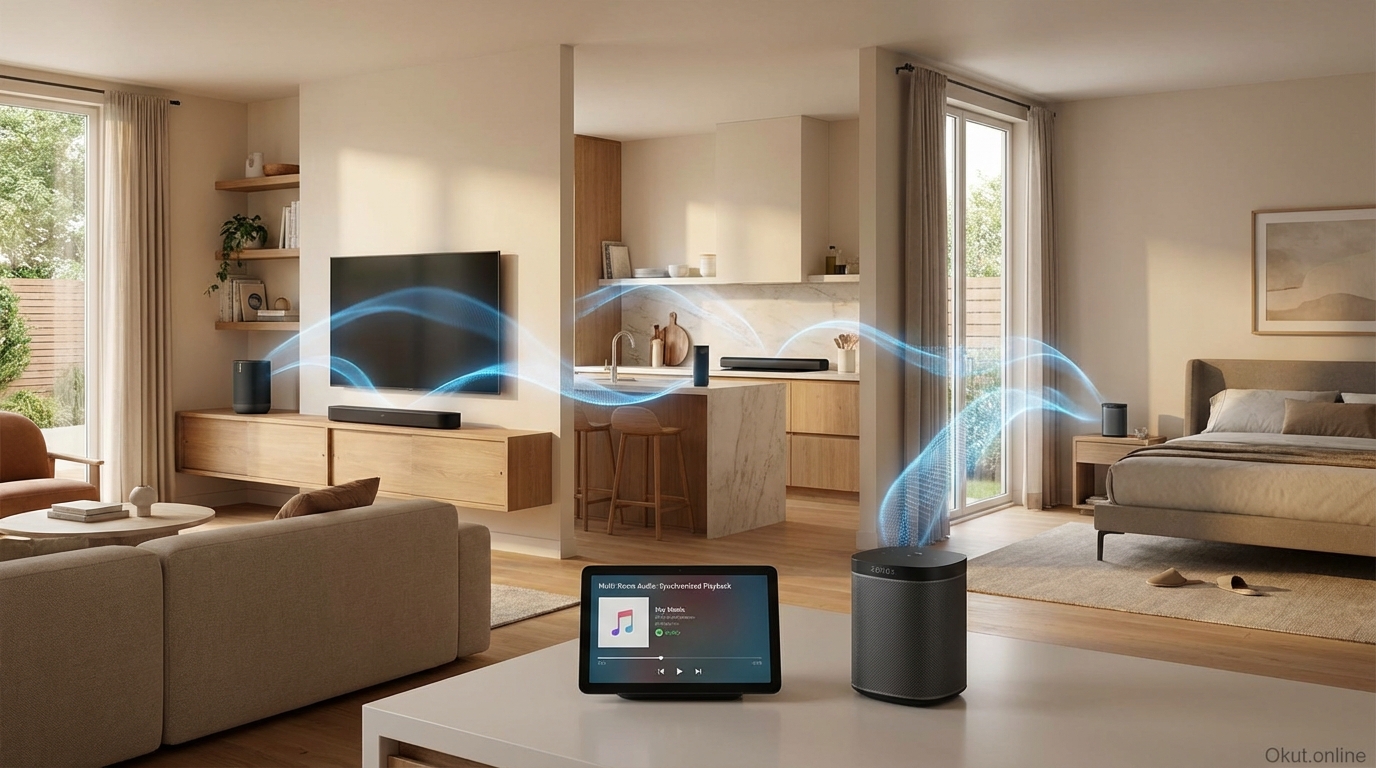
Multi-room audio systems enable synchronized music playback throughout your home, transforming individual smart speakers into coordinated whole-home audio that follows you from room to room. In 2026, Sonos, Apple AirPlay 2, Amazon Alexa, and Google Cast offer distinct approaches to multi-room audio with different speaker ecosystems, smart home integration, and feature sets. This guide compares multi-room audio platforms, explains setup strategies, and helps you build a whole-home audio system matching your budget and needs.
I. Multi-Room Audio Platforms
A. Sonos
Sonos pioneered consumer multi-room audio and remains the benchmark for the category.
Speakers: Era 300, Era 100, Move 2, Roam 2, Arc soundbar, Sub, Amp.
Grouping: Any Sonos speakers can group for synchronized playback; individual room control remains available.
Sources: Spotify, Apple Music, Amazon Music, and 100+ services with native integration.
Voice: Alexa, Google Assistant, and Sonos Voice Control built-in.
Unique strength: Best-in-class audio quality and multi-room synchronization; Trueplay room calibration.
B. Apple AirPlay 2
Apple’s protocol enables multi-room audio across compatible speakers and devices.
Speakers: HomePod (2nd Gen), HomePod mini, and third-party AirPlay 2 speakers (Sonos, Bose, etc.).
Grouping: Create speaker groups in Home app; control from any Apple device.
Sources: Any audio from iPhone, iPad, Mac; Apple Music with Siri integration.
Voice: Siri for playback control and HomeKit integration.
Unique strength: Seamless casting from any Apple device; HomePod audio quality.
C. Amazon Alexa Multi-Room Music
Amazon enables multi-room playback across Echo devices and compatible speakers.
Speakers: Echo (all generations), Echo Dot, Echo Studio, Echo Show, and Alexa-compatible speakers.
Grouping: Create speaker groups in Alexa app; control via voice or app.
Sources: Amazon Music, Spotify, Apple Music, Pandora, and other supported services.
Voice: Full Alexa integration for hands-free control throughout home.
Unique strength: Lowest cost entry; leverages existing Echo devices; Alexa everywhere.
D. Google Cast / Chromecast Audio
Google’s casting platform enables multi-room playback across Nest and compatible speakers.
Speakers: Nest Audio, Nest Mini, Nest Hub series, and Cast-compatible speakers.
Grouping: Create speaker groups in Google Home app.
Sources: YouTube Music, Spotify, and other Cast-compatible services.
Voice: Google Assistant for voice-controlled playback.
Unique strength: Google services integration; affordable Nest speaker range.
II. Speaker Selection by Room
A. Living Room (Primary Audio)
Living rooms deserve your best speakers for primary listening and entertainment.
Premium: Sonos Era 300 ($449), HomePod stereo pair ($598), or soundbar (Sonos Arc $899).
Mid-range: Sonos Era 100 ($249), Amazon Echo Studio ($200), Nest Audio ($100).
Considerations: Also serves as TV audio? Consider soundbar for dual-purpose use.
B. Kitchen
Kitchens need speakers that fill space despite background noise and cooking distractions.
Recommendations: Sonos Era 100, HomePod mini, Echo with good bass, Nest Audio.
Smart display alternative: Echo Show or Nest Hub for recipes plus music.
C. Bedrooms
Bedrooms benefit from moderate speakers with alarm and gentle wake capability.
Recommendations: HomePod mini, Echo Dot, Nest Mini—compact with bedside suitability.
Considerations: Smart display alternatives provide visual alarm and ambient display.
D. Bathroom
Bathrooms need moisture resistance and compact size.
Recommendations: Sonos Roam (IP67 rated), Echo Dot (careful placement), budget Bluetooth speakers.
Considerations: Full smart speaker isn’t essential; multi-room extension may suffice.
E. Outdoor
Outdoor audio requires weather resistance and battery or weatherproof power.
Recommendations: Sonos Move 2 (battery, weather-resistant), Sonos Roam, or wired outdoor speakers through Sonos Amp.
Considerations: WiFi range to outdoor locations; may need mesh network extension.
III. Multi-Room Setup Strategies
A. Start Small, Expand Later
Begin with primary listening location, then add rooms over time.
Living room first, kitchen second, bedrooms third.
Sonos and HomePod allow gradual expansion without replacing existing speakers.
B. Same Platform Throughout
Choose one multi-room platform and stick with it for seamless grouping.
Mixed platforms (some Sonos, some Echo) can coexist but won’t group together seamlessly.
Alexa or Google can control speakers across brands but native grouping varies.
C. Leverage Existing Devices
If you already have Echo devices, start with Alexa multi-room before buying dedicated speakers.
Upgrade individual rooms to better speakers while maintaining Echo coverage elsewhere.
IV. Music Services Integration
A. Service Compatibility
| Platform | Best With | Also Supports |
|---|---|---|
| Sonos | All major services (neutral) | 100+ services native |
| AirPlay 2 | Apple Music | Any audio from Apple devices |
| Alexa | Amazon Music | Spotify, Apple Music, others |
| Google Cast | YouTube Music | Spotify, others via Cast |
B. Voice Service Selection
Set default music service in your voice assistant for friction-free playback.
“Play jazz music” uses your default; specifying service (“on Spotify”) works when needed.
V. Cost Comparison
A. 3-Room System Costs
| Platform | Budget | Mid-Range | Premium |
|---|---|---|---|
| Sonos | $500+ (Roam/Mini) | $750+ (Era 100s) | $1,200+ (Era 300s) |
| Apple | $300 (3x Mini) | $600 (HomePod+Minis) | $900+ (HomePods) |
| Alexa | $100 (3x Dot) | $250 (Echo/Studio mix) | $600 (3x Studio) |
| $100 (3x Mini) | $300 (3x Nest Audio) | $400+ (Audio+Hub) |
VI. Common Mistakes to Avoid
- Mixing Platforms: Speakers from different platforms don’t synchronize well. Choose one platform for seamless experience.
- Ignoring WiFi: Multi-room audio requires reliable WiFi. Test network coverage where speakers will be placed.
- Overspending on Secondary Rooms: Bedroom and bathroom don’t need premium speakers; save budget for primary listening spaces.
- Forgetting About Existing Hardware: Your current Echo or Google devices may already enable multi-room without additional purchase.
VII. Practical Tips
- Name Rooms Clearly: “Kitchen speaker” and “Living room” work better than “Echo 3” for voice commands.
- Create Music Groups: Pre-define “Downstairs music” or “Whole house” groups for common scenarios.
- Use Room Calibration: Sonos Trueplay and similar features genuinely improve audio quality.
- Test Before Expanding: Try multi-room with 2-3 speakers before committing to whole-home system.
VIII. Conclusion
Multi-room audio transforms individual speakers into coordinated whole-home audio that follows you room to room. Sonos provides the best audio quality and synchronization for audiophiles willing to invest. Apple AirPlay 2 suits Apple ecosystem households with seamless casting from any device. Amazon Alexa offers the lowest-cost entry by leveraging existing Echo devices. Google Cast provides affordable Nest speakers with strong Google services integration. Start with your primary listening room, choose a single platform for seamless grouping, and expand gradually as you discover which rooms benefit most from added audio.
Which multi-room audio platform interests you, and what rooms would you add speakers to first? Share your whole-home audio plans in the comments!
About the Author