Modern gaming consoles can integrate into smart home systems, enabling voice control for power and apps, automated lighting scenes during gameplay, and entertainment system coordination that enhances the gaming experience. In 2026, PlayStation 5, Xbox Series X|S, and Nintendo Switch offer varying levels of smart home connectivity. This guide explains how to integrate gaming consoles with your smart home, covers voice control setup, and demonstrates automation possibilities that make gaming sessions more immersive and convenient.
I. Console Smart Home Capabilities
Each gaming console offers different levels of smart home integration.
A. PlayStation 5
PS5 provides limited native smart home integration but works with external control solutions.
Native features: No built-in voice assistant or smart home hub capability.
Power control: HDMI-CEC enables power on/off through TV control.
Voice control: PlayStation Voice command via controller or headset for basic PS5 navigation.
Integration approach: Smart plugs, HDMI-CEC, and smart home hub automation provide external integration.
B. Xbox Series X|S
Xbox offers the most comprehensive smart home integration among current consoles.
Alexa and Google: Direct Alexa and Google Assistant integration for voice control.
Power control: Turn on/off via voice; “Alexa, turn on Xbox.”
App launching: Voice commands can launch specific games or apps.
Xbox Skill: Alexa skill provides comprehensive voice control of Xbox features.
C. Nintendo Switch
Nintendo Switch has minimal smart home integration.
Native features: No voice assistant integration or smart home connectivity.
Power control: Limited HDMI-CEC support in docked mode.
Integration approach: External automation through smart plugs and hub routines.
II. Xbox Voice Control Setup
Xbox provides the most seamless voice control through Alexa and Google Assistant.
A. Alexa Setup
- Download Xbox Alexa skill in Alexa app
- Link Microsoft account to Alexa skill
- Alexa discovers your Xbox consoles
- Use commands like “Alexa, turn on Xbox” or “Alexa, play Fortnite on Xbox”
B. Google Assistant Setup
- Open Google Home app
- Add device → Works with Google → Xbox
- Sign in with Microsoft account
- Use commands like “Hey Google, turn on Xbox” or “Hey Google, open Netflix on Xbox”
C. Xbox Voice Commands
- “Turn on Xbox” / “Turn off Xbox”
- “Start [game name]” / “Play [game name]”
- “Open [app name]” (Netflix, YouTube, etc.)
- “Pause” / “Play” / “Resume”
- “Volume up” / “Volume down”
- “Take a screenshot”
- “Record that” (game clip capture)
III. HDMI-CEC Integration
HDMI-CEC enables console control through TV and smart home systems.
A. What HDMI-CEC Enables
One remote control: TV remote can control basic console functions.
Power synchronization: Turning on console can turn on TV automatically (and vice versa).
Smart home integration: Smart TVs with voice assistants can pass commands to consoles.
B. Enabling HDMI-CEC
On console: Enable HDMI device link in console settings (Xbox: Settings → General → Power → HDMI-CEC).
On TV: Enable CEC in TV settings (called different names: Samsung Anynet+, LG SimpLink, Sony Bravia Sync).
C. Limitations
CEC implementation varies by manufacturer; some features may not work across all device combinations.
PS5 and Switch have more limited CEC support than Xbox.
IV. Gaming Automation
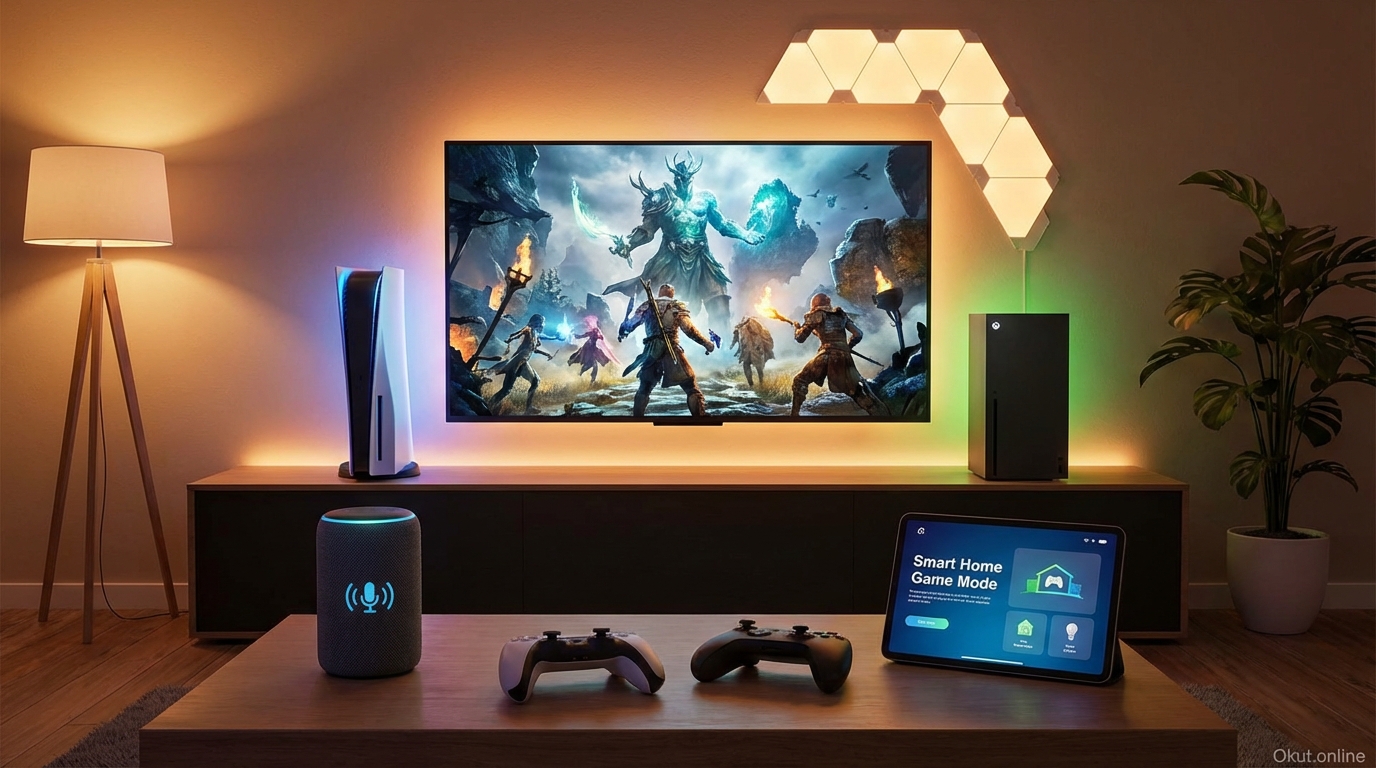
Smart home automation enhances gaming sessions with coordinated lighting, audio, and environment.
A. Gaming Lighting Scenes
Create lighting scenes optimized for gaming immersion.
Bias lighting: LED strips behind TV/monitor reduce eye strain while adding ambiance.
Dim room lighting: Lower ambient lighting for better screen visibility and atmosphere.
RGB sync: Some lighting (Philips Hue, Nanoleaf) can sync with on-screen content for reactive lighting.
B. Gaming Mode Routine
Create voice-triggered or automated gaming mode:
Trigger: “Alexa, gaming mode” or console power-on detection.
Actions:
- Turn on console (Xbox via voice)
- Turn on TV
- Set lighting scene to gaming mode
- Adjust thermostat (gaming generates heat)
- Close smart blinds if daytime glare an issue
- Set Do Not Disturb on smart speakers/displays
C. Reactive Lighting Integration
Philips Hue Sync Box ($250): Connects between console and TV; lights react to on-screen content.
Nanoleaf Screen Mirror: Nanoleaf panels reflect screen colors for ambient gaming lighting.
Govee Immersion: Budget-friendly LED strips with camera that reads TV colors.
V. Audio Integration
Connect console audio to smart speaker systems for enhanced gaming sound.
A. Soundbar Connection
Direct connection: Connect console to soundbar HDMI input, soundbar to TV via eARC.
Smart soundbar benefits: Voice control for volume, multi-room audio when not gaming.
B. Wireless Headset Coexistence
Gaming headsets can coexist with smart audio systems.
Automation: Routine that mutes soundbar when headset connects (if detectable).
Manual control: Voice command to mute soundbar when using headset.
VI. Smart Plug Solutions
Smart plugs provide basic control for consoles lacking native smart integration.
A. Power Control
Smart plug on console power enables voice on/off (with caveats).
Xbox: Can use Instant-on mode; smart plug cut provides hard power off.
PS5: Put in Rest Mode before smart plug power cut to avoid data corruption.
Switch: Safe to power off via smart plug in docked mode.
B. Energy Monitoring
Smart plugs with energy monitoring track gaming power consumption.
Console power draw:
- PS5: 100-200W during gaming, 1-3W in Rest Mode
- Xbox Series X: 150-220W during gaming, 0.5-15W in standby
- Switch docked: 40W maximum
VII. Streaming and Entertainment
Consoles serve as streaming devices with smart integration.
A. Streaming App Voice Control
Xbox voice commands can launch streaming apps: “Alexa, open Netflix on Xbox.”
Once in app, some voice navigation available depending on app implementation.
B. Console as Media Hub
Consoles consolidate streaming with gaming in single device.
Smart home integration treats console as both gaming and streaming device.
VIII. Common Mistakes to Avoid
- Hard Power Off Without Prep: Don’t cut power to PS5 during gameplay or before Rest Mode—data corruption risk.
- Ignoring HDMI-CEC: Enable CEC for easy TV-console synchronization.
- Overcomplicating: Start with simple Xbox voice control before adding complex automation.
- Missing Update Requirements: Console updates may affect smart home integrations; keep firmware current.
IX. Practical Tips
- Start with Xbox Voice: Xbox Alexa/Google integration is easiest entry to gaming smart home.
- Create Gaming Scene: Single voice command scene for lighting, TV, and console power.
- Consider Bias Lighting: LED strips behind display improve immersion and reduce eye strain.
- Test CEC First: Enable HDMI-CEC before adding external automation—may solve needs simply.
X. Conclusion
Gaming console smart home integration ranges from Xbox’s comprehensive voice control to PS5 and Switch’s reliance on external automation solutions. Xbox users can immediately enjoy voice power control, app launching, and game starting through Alexa or Google Assistant. PlayStation and Switch users can achieve similar automation through HDMI-CEC, smart plugs, and hub-based routines. Gaming lighting automation—whether simple scenes or reactive RGB—genuinely enhances gaming atmosphere. Start with your console’s native capabilities, add lighting scenes for atmosphere, and build gaming mode routines that coordinate your entertainment system for seamless gaming sessions.
How do you integrate gaming with your smart home? Share your gaming automation setup in the comments!
About the Author